On-Site Promo Assistant
Bring exclusive games and instant rewards to the customers standing right in front of you—creating delightful digital moments on-site, without the paper or the hassle.
Generate entry QR codes, redeem prize vouchers, or log completed missions—all from a phone or tablet, so your staff can reward customers on the spot.
Want to award draw entries based on a customer’s in-store spend?
✓With the On-Site Promo Assistant, staff can set each customer’s entry count directly—no printed vouchers, props, or POS integration required.
Worried an on-site campaign link could leak and lose its exclusivity?
✓Every QR code the tool generates is single-use, and the system logs exactly who issued it and when—so you can audit every reward given out.
Want to track where and when coupons get redeemed?
✓The tool scans and redeems vouchers on the spot, logging the staff account and time for every redemption—so you can monitor redemption status and download the data anytime.

On-Site Promo Assistant + 20+ Interactive Modules
Mix and match to power any marketing campaign
Where does the On-Site Promo Assistant fit best?

Retail store / counter
Staff control draw entries tied to a minimum-spend threshold, and customers redeem rewards instantly.
Use Cases:
- Reward purchases without integrating your POS or receipt system
- Staff decide how many draw entries to award once a customer completes an in-store task
- Download logs of entries issued and in-store redemptions from the dashboard—audits made easy

Conferences / exhibitions
From online registration to on-site check-in and exclusive on-site draws
Use Cases:
- Distribute vouchers through pre-event online campaigns, redeemable only on-site
- On-site only—staff verify task completion before granting draw entries
- Pair with the OCEP platform to capture attendee data on the spot for remarketing

Shopping districts / markets
Design a “scavenger hunt” that guides customers from booth to booth to complete tasks and claim rewards
Use Cases:
- Digitize joint promotional events—turn task stamps and points into a digital passport with the On-Site Promo Assistant
- Design different task types and rewards for each booth to keep visitors engaged
- Staff control draw eligibility even when there’s no receipt to verify
No development costs—works on phones and tablets
No IT deployment or POS integration required—store staff can generate campaign QR codes, redeem coupons, and issue mission rewards right from an on-site phone or tablet.

Three core features of the On-Site Promo Assistant
Feature 1: Generate dynamic campaign QR codes
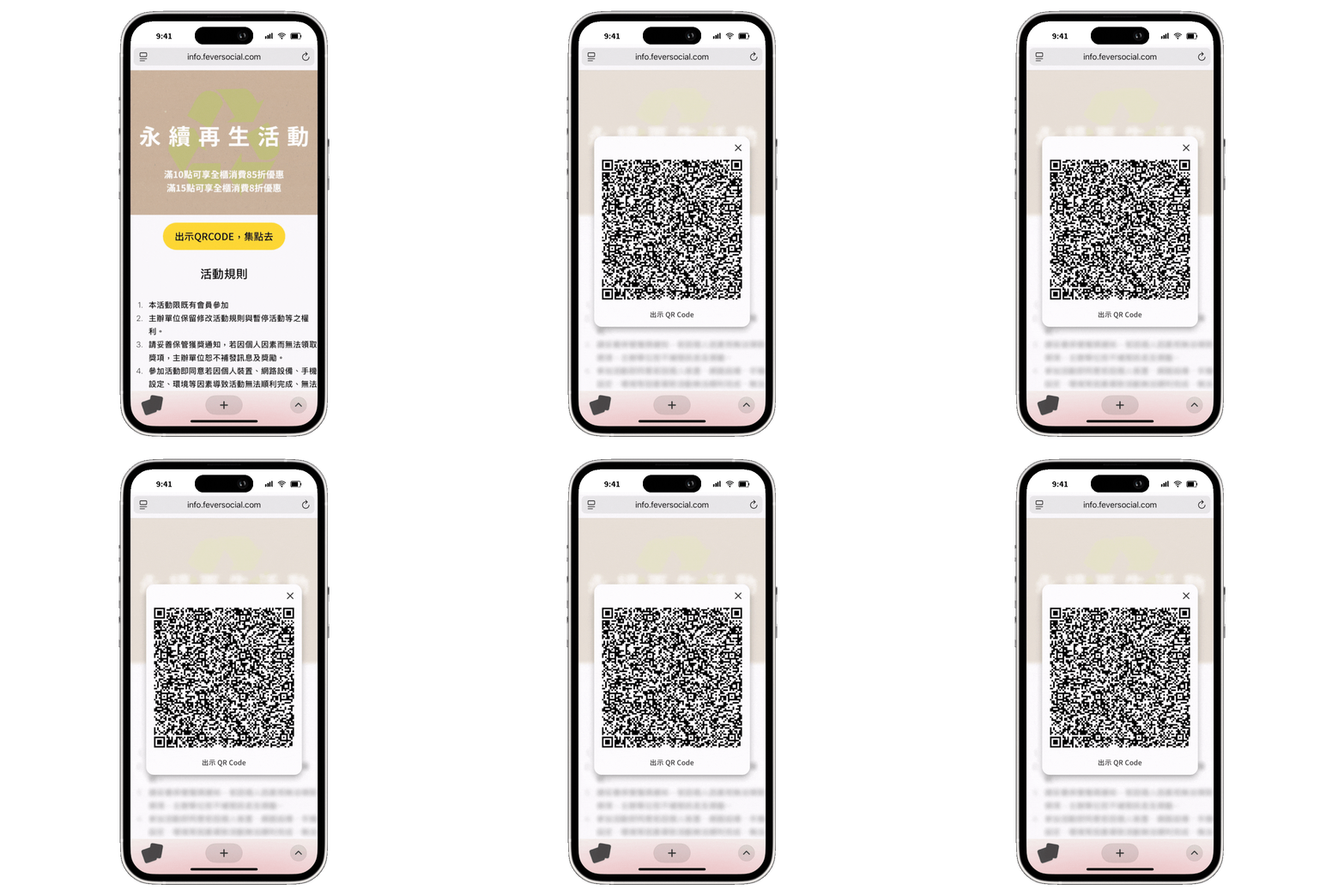
Brands can flexibly combine OCEP's 20+ task modules to design a wide range of campaign conditions, then let store staff grant entry to the customers in front of them
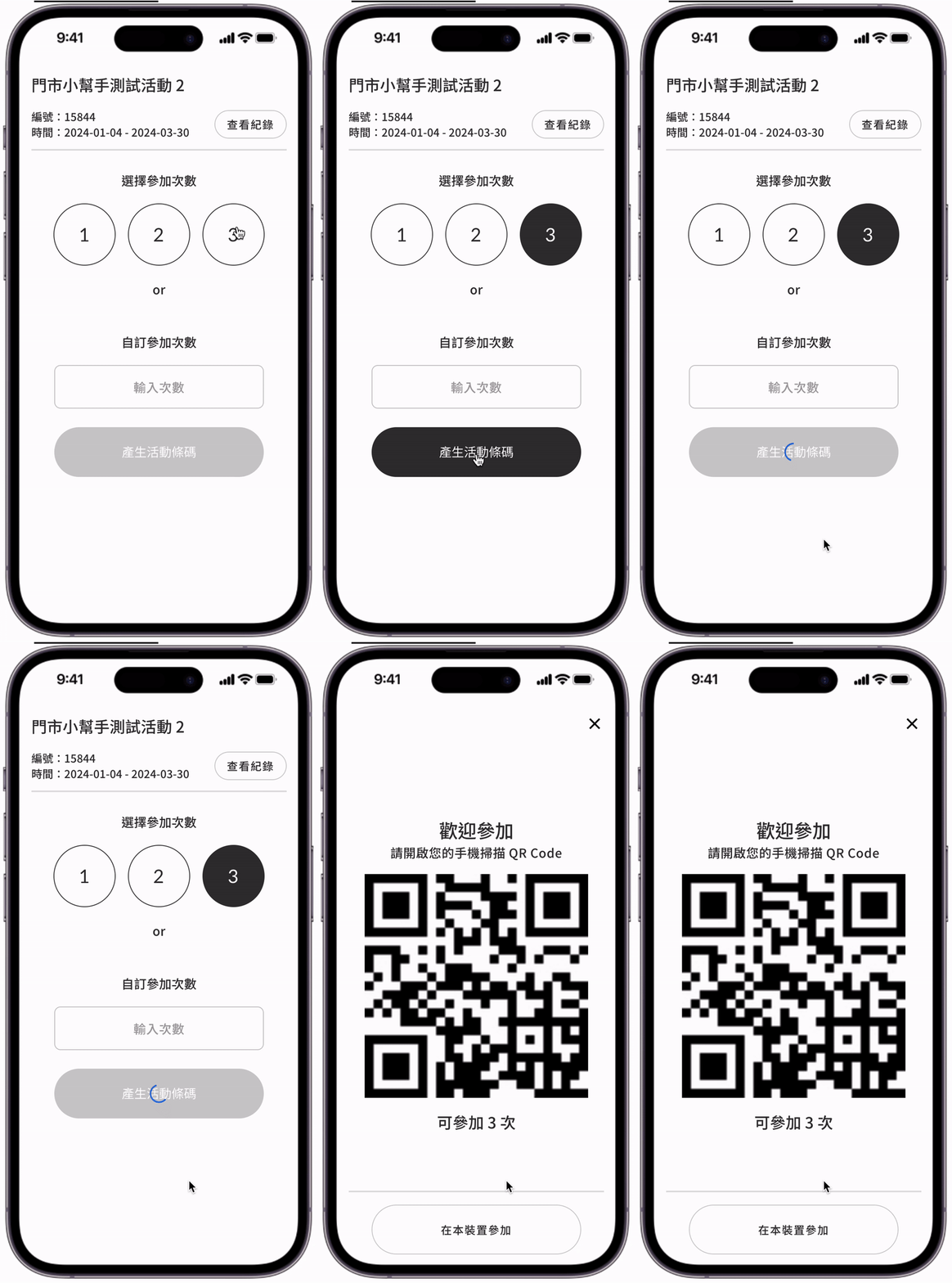
Staff confirm eligibility and enter the number of entries
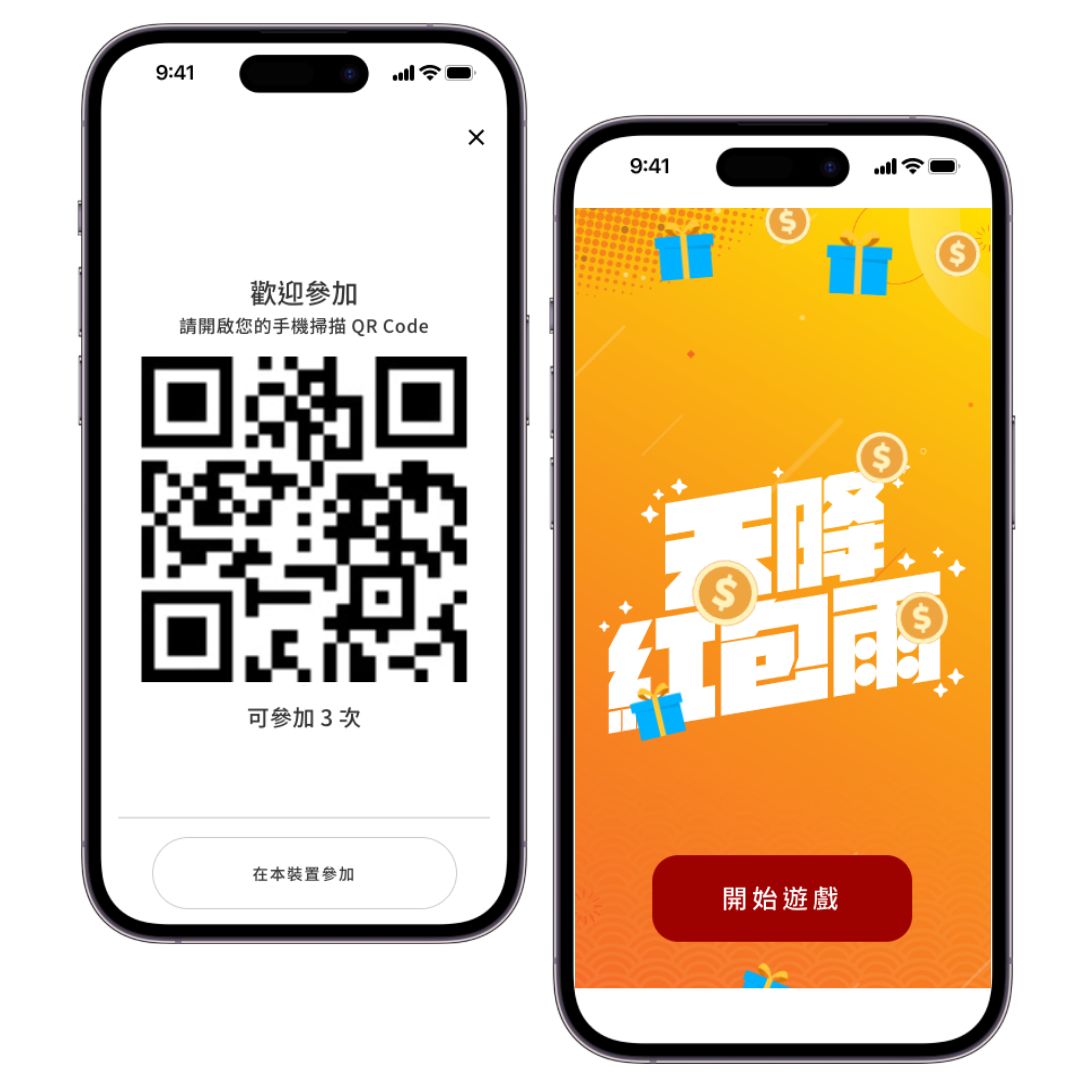
Customer scans the QR code and enters the campaign
Entry complete—reward claimed
Feature 2: Scan to redeem prize vouchers
Redemption is locked to the On-Site Promo Assistant tool—reducing accidental taps on the redeem button while logging exactly who redeemed each voucher and when
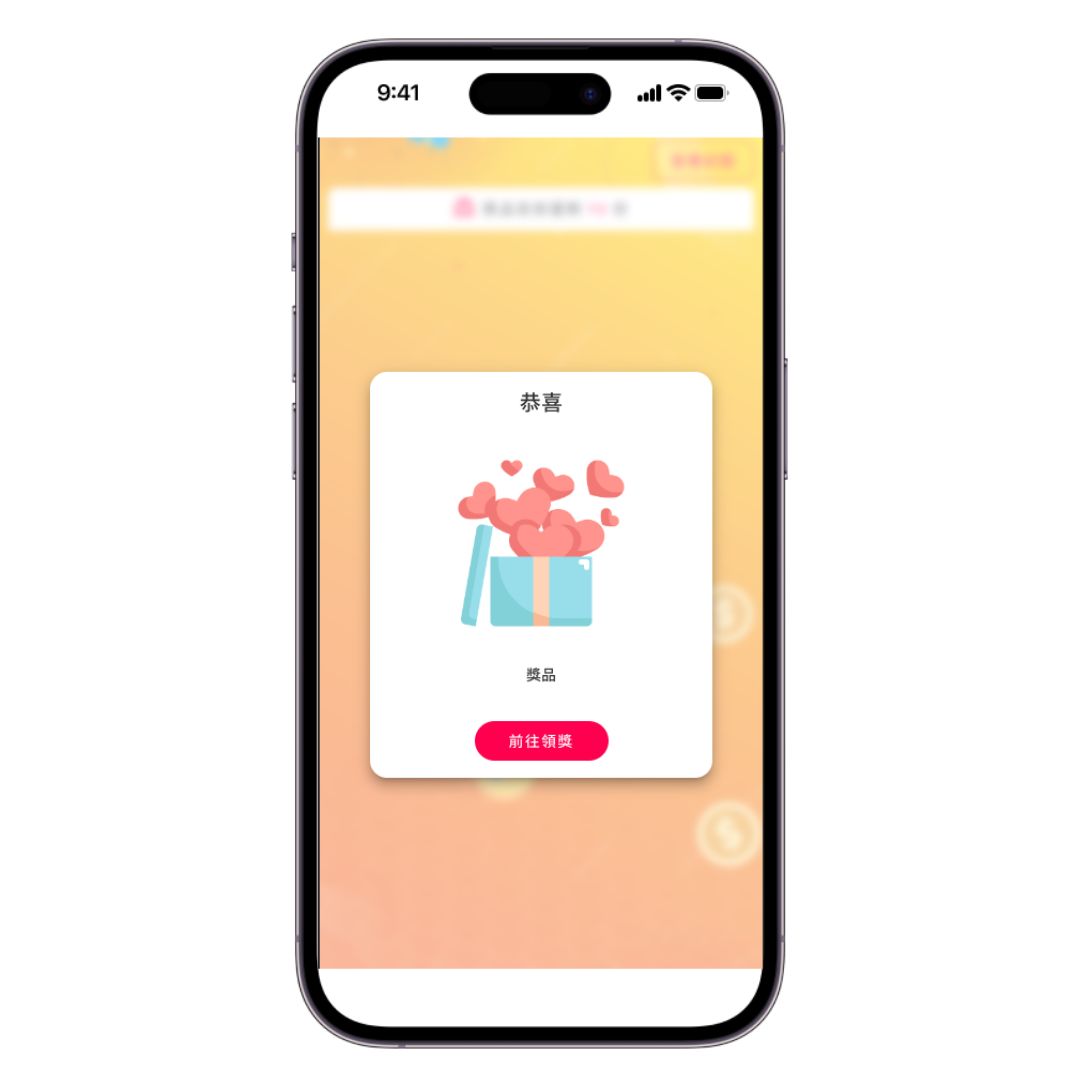
Customer claims the prize online
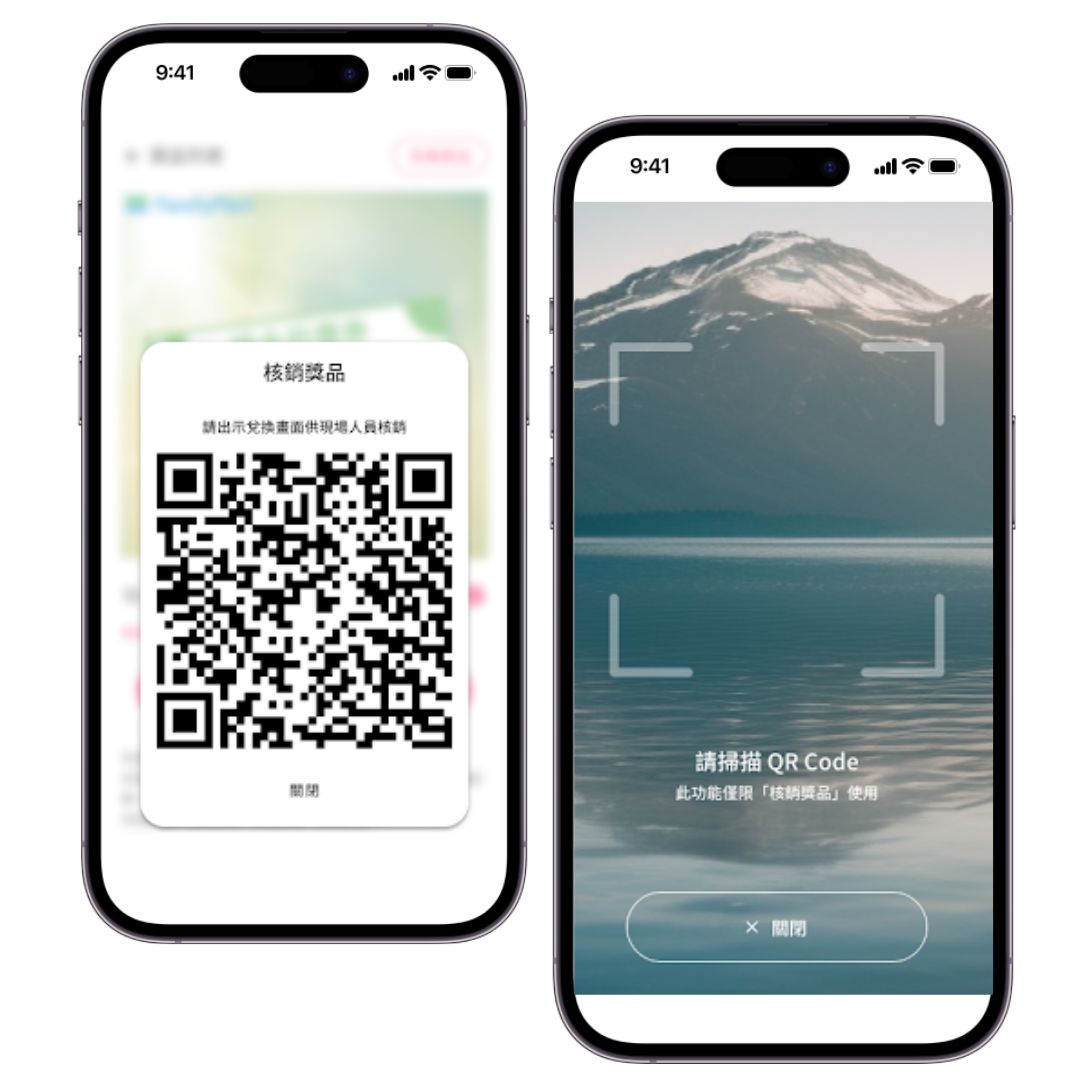
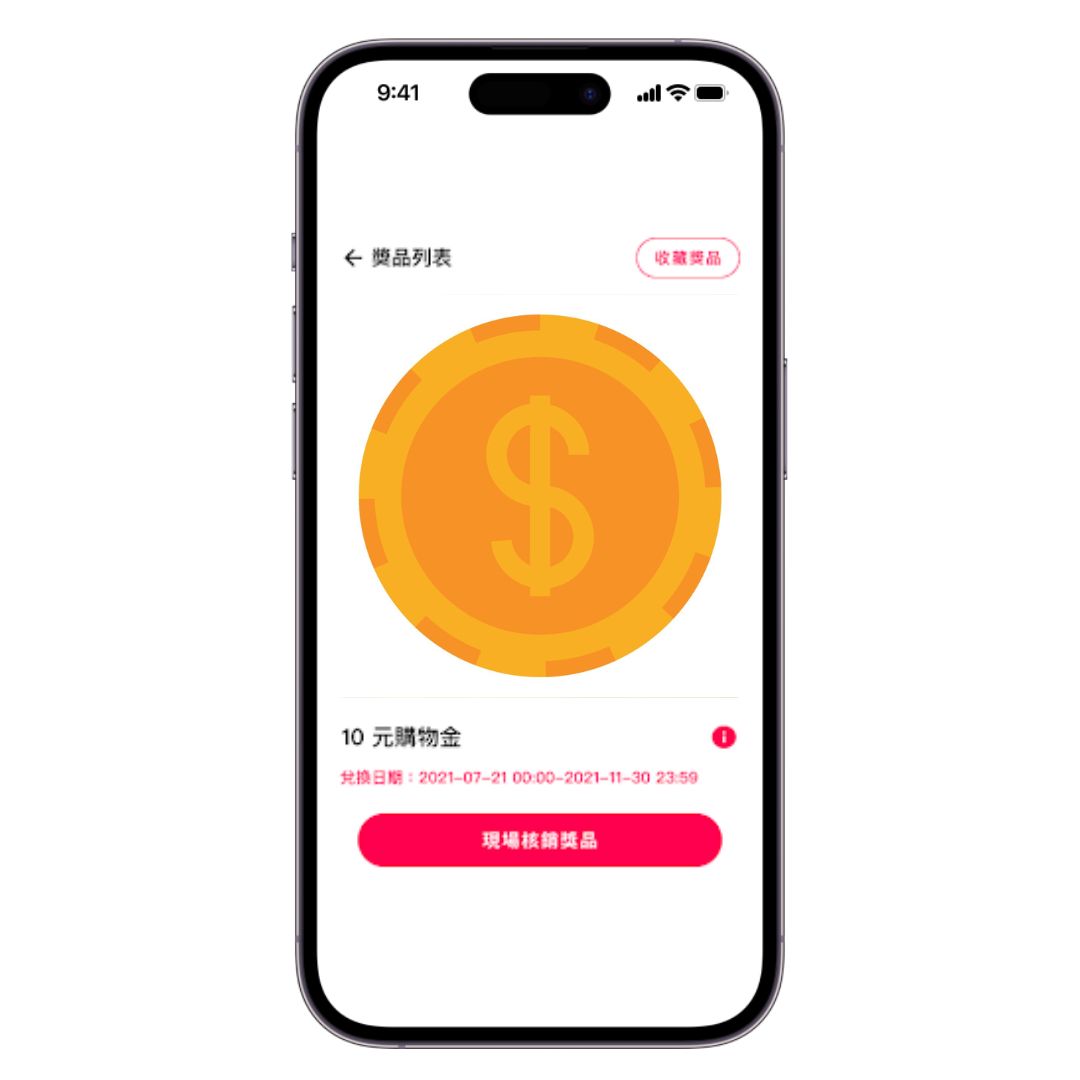
Customer shows the screen in-store for staff to redeem
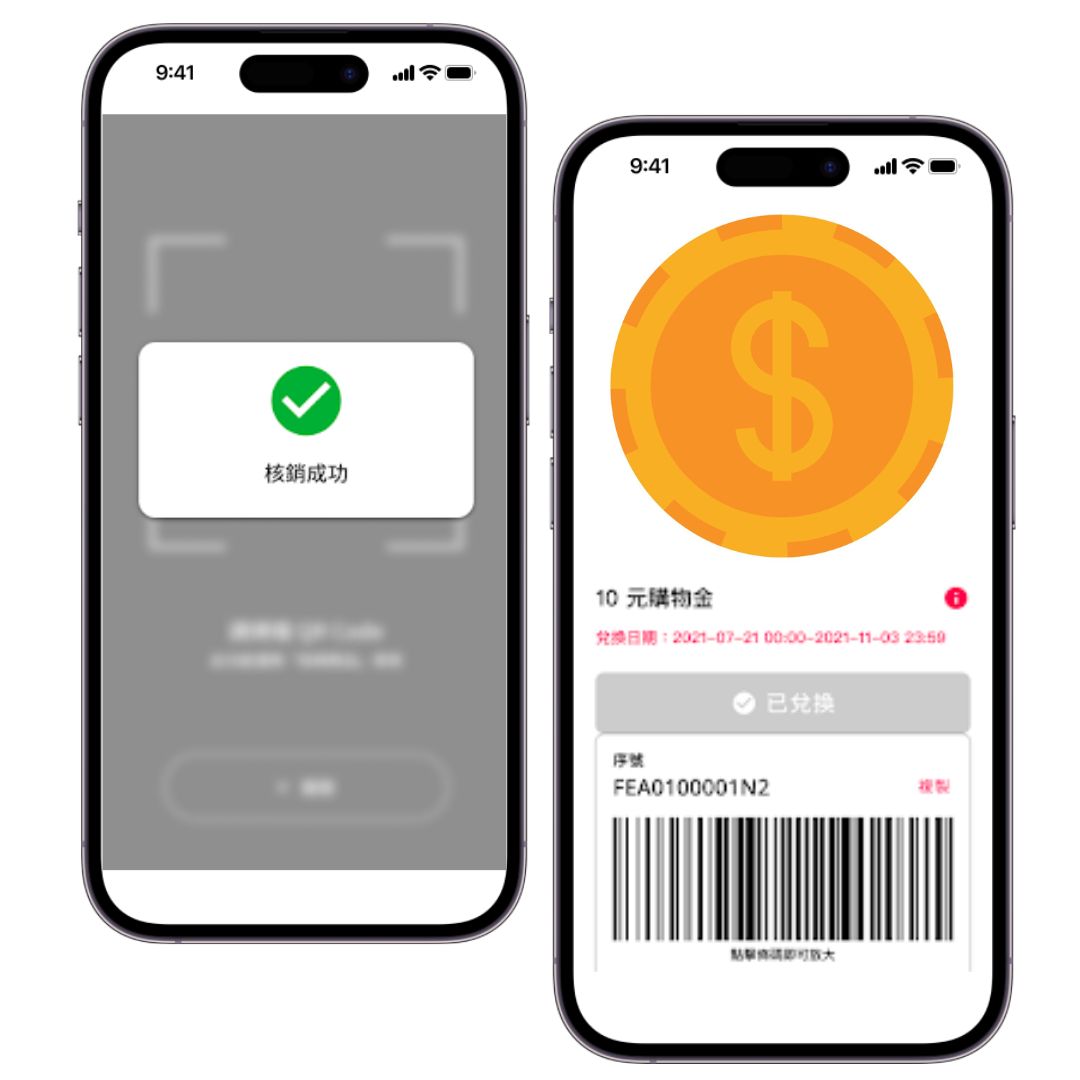
Prize redemption complete
Feature 3: Scan to issue mission rewards
Pair with the Mission Reward (Staff Input) module to set up on-site tasks freely—staff issue rewards on the spot as customers complete each one
Customer shows the screen after completing the task in person
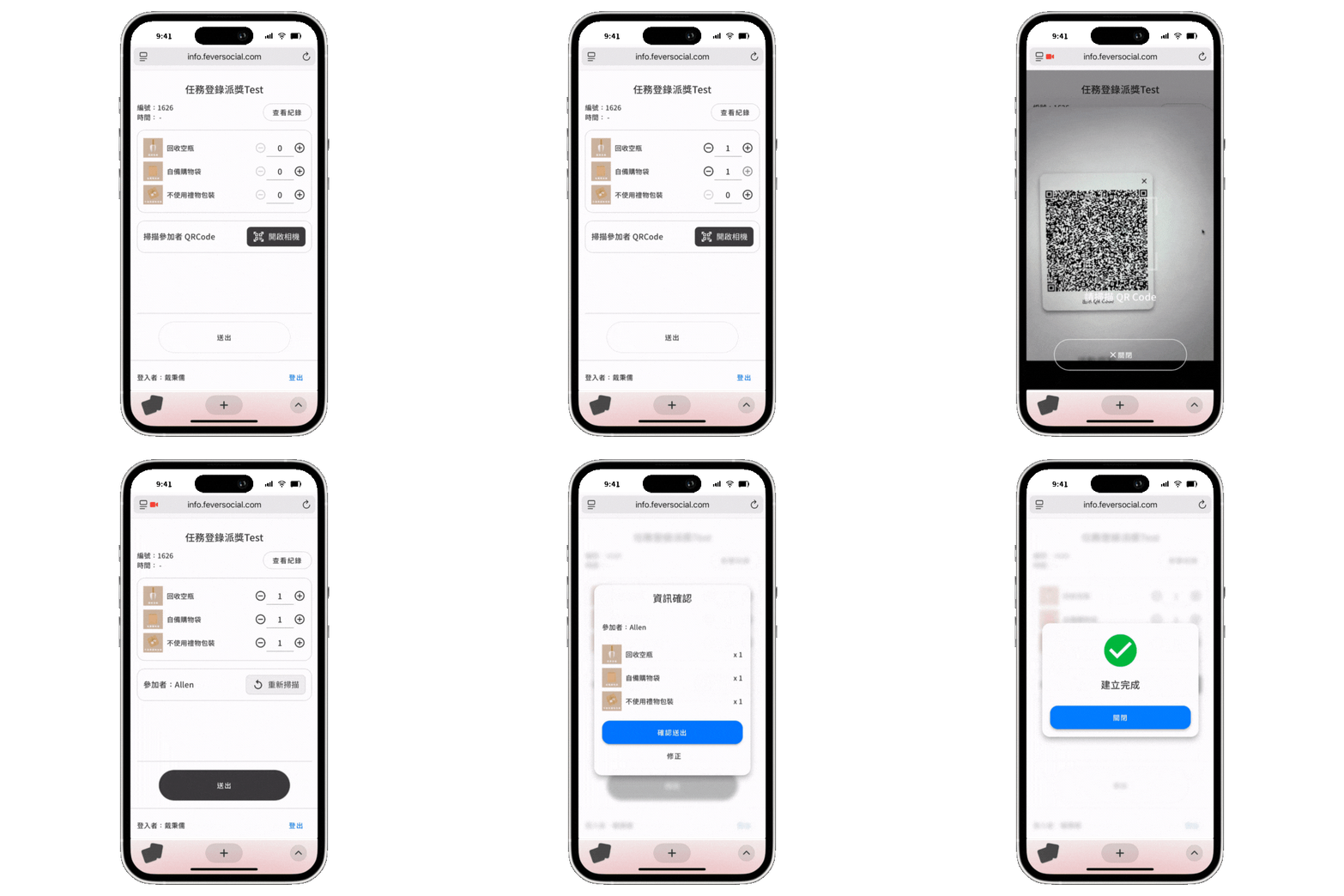
Staff scan to log completion based on task status
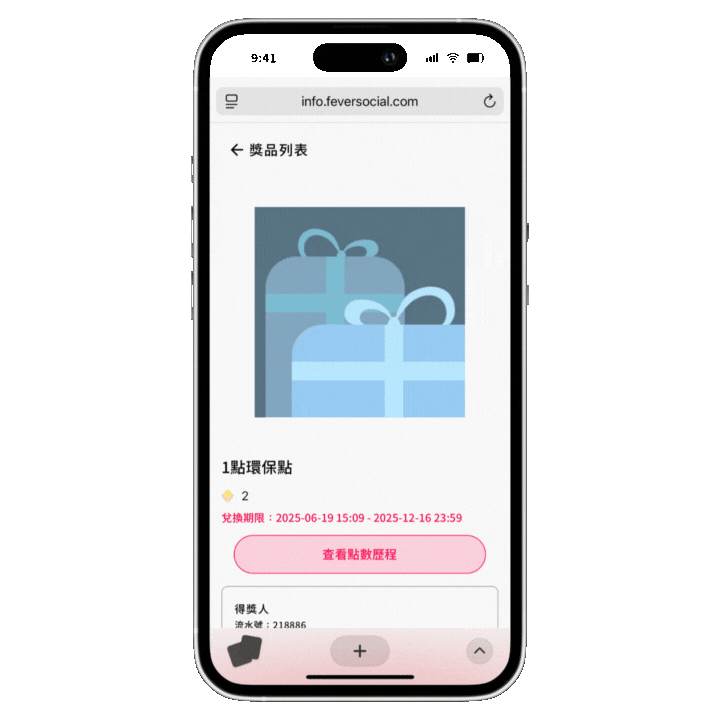
Customer completes the task and claims the reward
Three standout features of the On-Site Promo Assistant
Feature 1: Manage multiple campaigns at once, each with its own rules
Staff simply pick the right tool from the interface to redeem rewards or issue prizes.
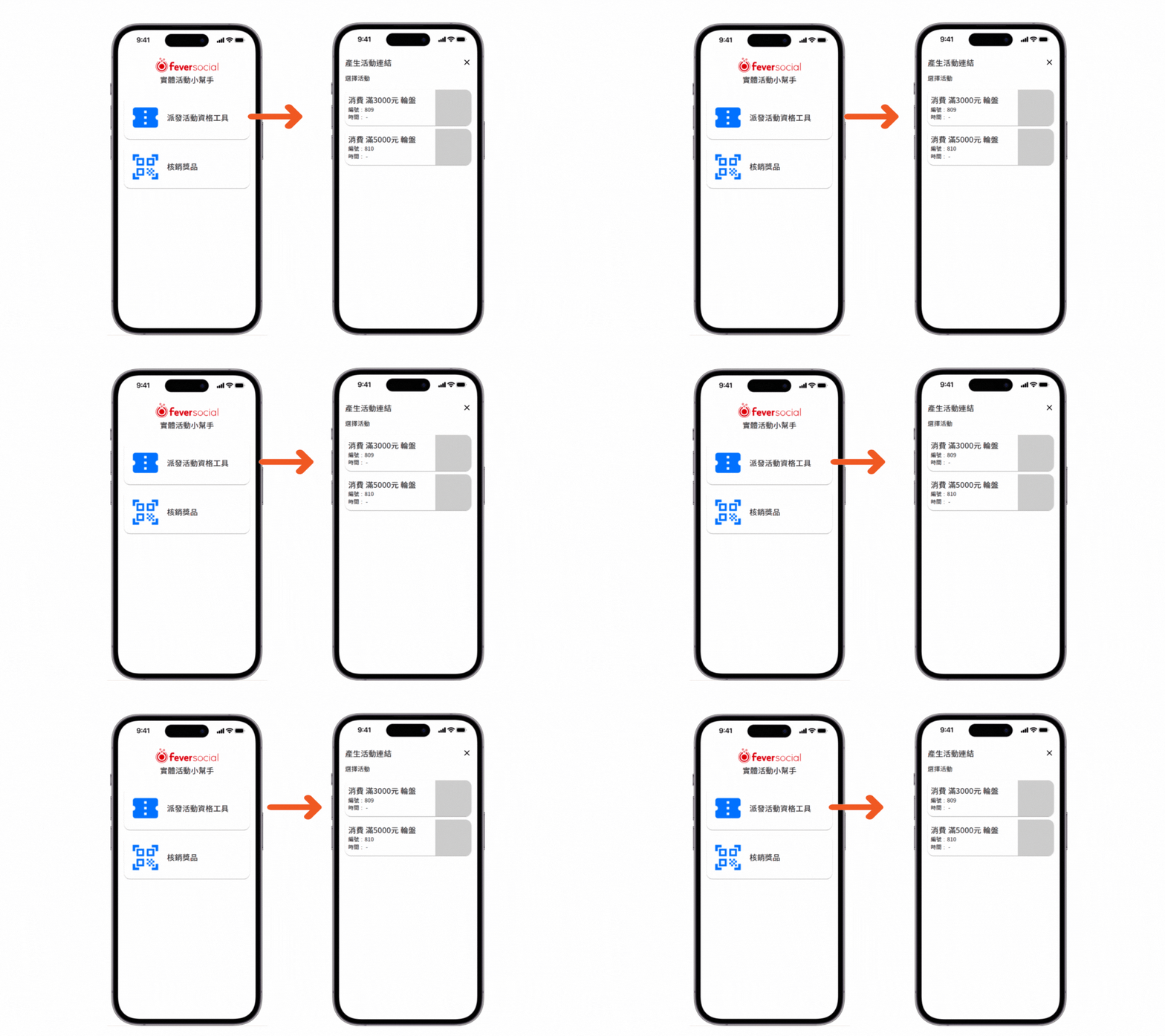
For example, set up two separate campaigns for different spending thresholds, each with its own prize wheel—staff decide which QR code to issue on the spot
Feature 2: Staff permission controls and single-campaign tool links
Admins can set On-Site Promo Assistant permissions by store and by staff member—granting access to all campaigns or just one—for flexible multi-location operations
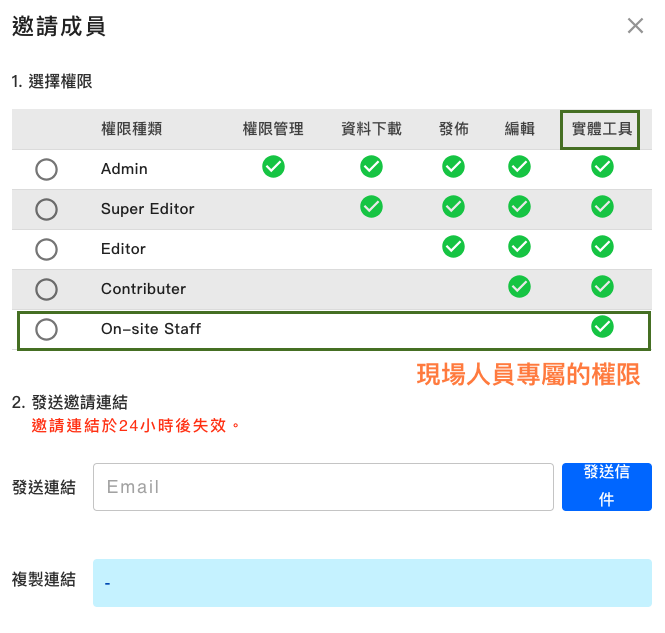
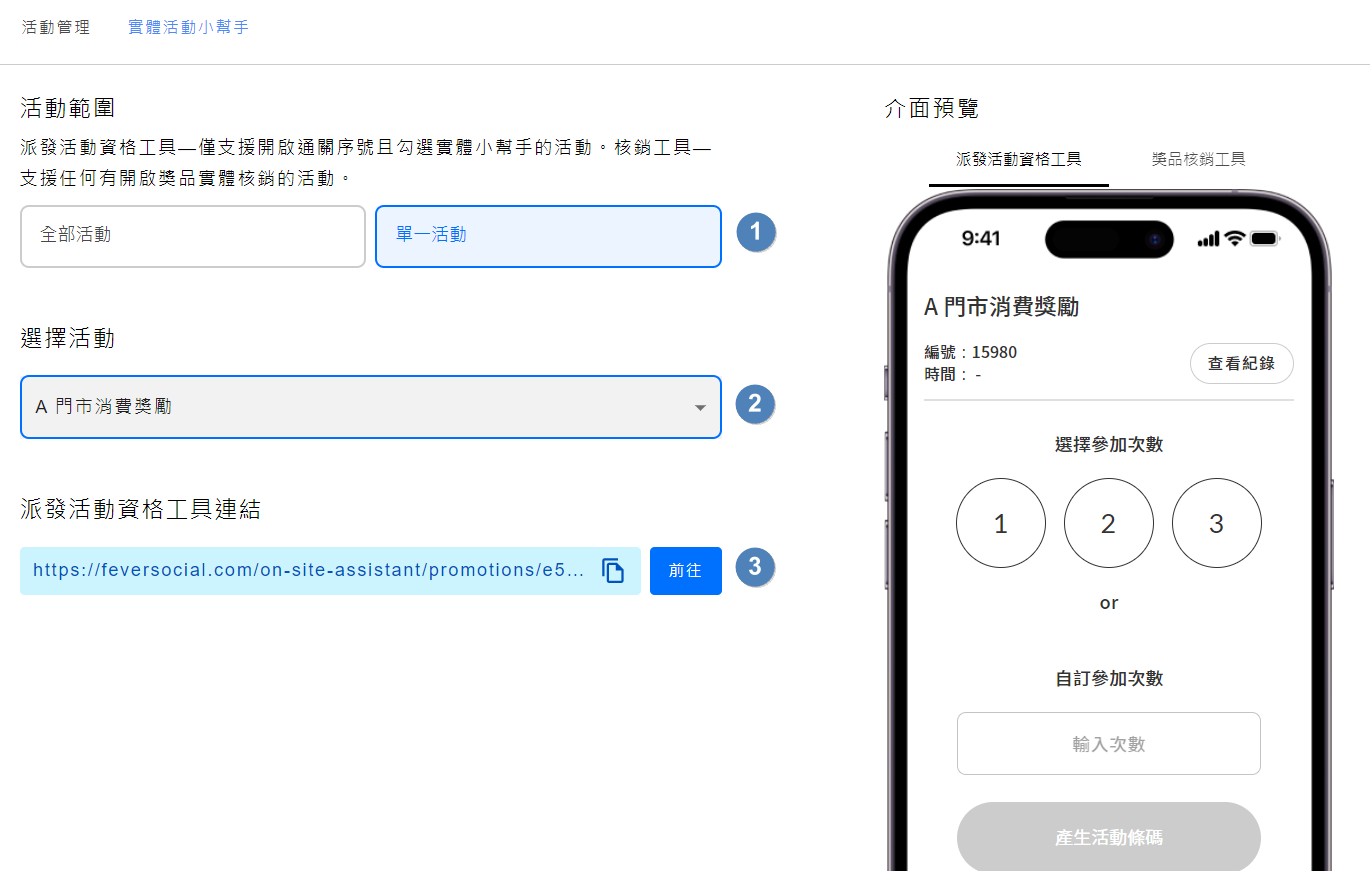
Bulk-create staff accounts
Brands with multiple locations can create accounts for every store’s staff in one batch, saving significant admin time

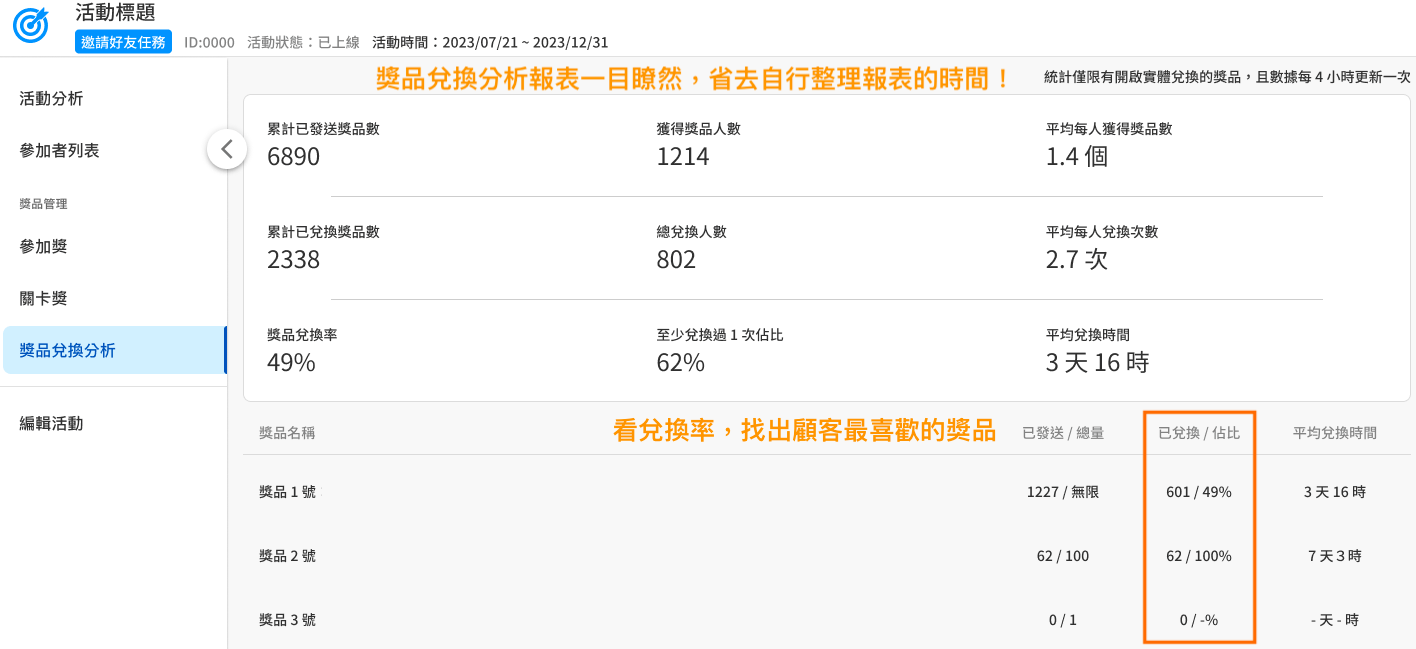
Feature 3: Redemption analytics reports
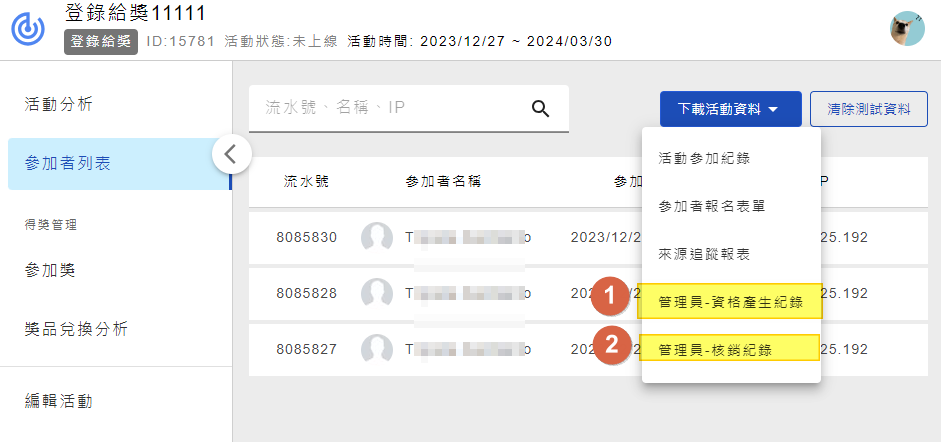
Quickly assess reward redemption at a glance, and download operation logs for both tool functions
Case studies
Complementary OCEP platform features
Feversocial — your online-to-offline integration partner
Make your OMO strategy a reality with a flexible, zero-development in-store engagement tool—build closer relationships with every customer who walks in. Start planning your next in-store reward campaign.
