Onsite Pop-Up Feature
Turn pop-up messages into gamified engagement that keeps visitors on your site longer and boosts your lead conversion rate.
What is a Pop-Up?

A pop-up is a common on-page interaction that displays real-time messages—ads, subscription prompts, promotions, or campaign announcements—triggered by a visitor's browsing behavior or specific conditions you set.
These windows are designed to capture attention and drive visitors to take action, boosting on-site engagement and conversion.
Fever's exclusive gamification makes your website more fun and doubles conversions
Feature 01
20+ modules for effortless engagement design
Beyond your website, pop-ups can link to Fever's 20+ Promo Modules or campaign-exclusive Passcodes, giving visitors a reason to convert while extending engagement time and boosting campaign participation and brand exposure.
Feature 02
Grow your member base and LINE friends together
Require members to log in or add your LINE account before joining a pop-up campaign, turning visitor conversion into one smooth step and reducing drop-off.
Feature 03
Auto-deliver vouchers and coupons for fast conversion
Reward visitors instantly with Coupons and Vouchers the moment they engage with your pop-up, cutting hesitation, speeding up conversion, and ultimately lifting your sales conversion rate.
Feature 04
Collect more lead data for personalized remarketing
Built-in forms and Auto-Tagging let you push collected data straight into your brand's CDP or CRM, enriching every customer profile.
Easy setup, flexible management—precision-targeted Pop-Ups for your website
➊ Choose a style to match your marketing goals
Design your pop-up's appearance to match your brand and campaign needs—adjust color, style, and position, and add motion effects to make every pop-up stand out.
▶ Pop-Up Window: a bold call to action visitors won't miss
Displayed as a half-screen overlay, the Pop-Up Window is ideal for a strong call to action—for example, showing a coupon-claim window the moment a visitor signs up for the first time or adds an item to cart, so they never miss the offer.
▶ Banner: keep the page readable while sharing more
Shown as a top banner, this format works well when you need to share more information without covering the page—think media site columns, sitewide promotions, new product launches, or cross-page campaign announcements—giving you room to show all the details.
▶ Floating Button: compact, flexible, and built for quick clicks
Supporting JPG, JPEG, PNG, and GIF formats, the Floating Button suits lightweight, low-friction use cases—small notices or simple reminders that guide visitors to click, clearly and quickly.

➋ Design Pop-Up content around your marketing goals
Our Web Pop-up Plugin lets you customize what opens on click—a Campaign, a specific Webpage, or a campaign-exclusive Passcode—so you can tailor pop-ups to your goals, boost engagement, and guide visitors to the right page or action.
▶ Webpage: precision traffic to boost key content
A pop-up can open a specific webpage directly on the current page, guiding visitors to featured content or related articles—helping them find what interests them most without feeling lost.
▶ Campaign: gamification that drives engagement and conversion
A pop-up can launch any of Fever's 20+ campaigns directly on the page, using gamification and reward mechanics to boost engagement, extend time on site, and drive conversion.
▶ Campaign Passcode: exclusive access, unique visitor experiences
Campaigns also support exclusive Passcodes, making each campaign feel more special and giving visitors a sense of exclusivity that motivates them to participate.

➌ Flexible display and trigger settings for precise targeting
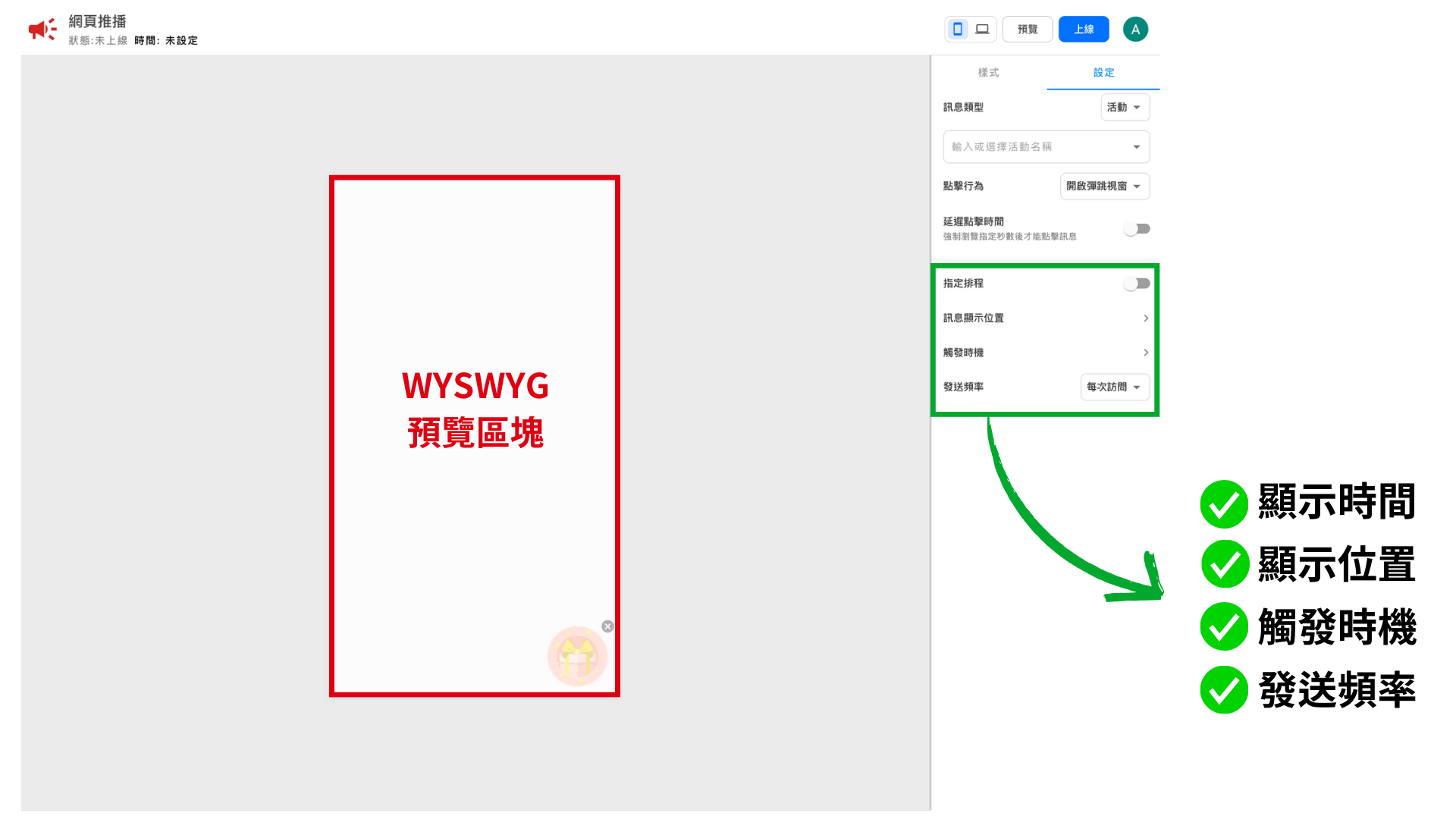
Freely configure your pop-up's display timing and location and its trigger timing and frequency, so every message appears at the right moment without overwhelming visitors—precisely improving the experience and engagement of your target audience.
▶ Display Timing:
Schedule pop-ups for specific dates or time windows so messages appear exactly when you want.
▶ Display Location:
Show pop-ups on every page, or exclude specific pages, so messages appear only where they make sense.
▶ Trigger Timing:
Trigger on page load or after a set time on page to avoid interrupting visitors too early, or trigger on exit intent to win back visitors who are about to leave.
▶ Send Frequency:
Set pop-ups to show on every visit, once a day, or only once, so you never overwhelm the browsing experience.
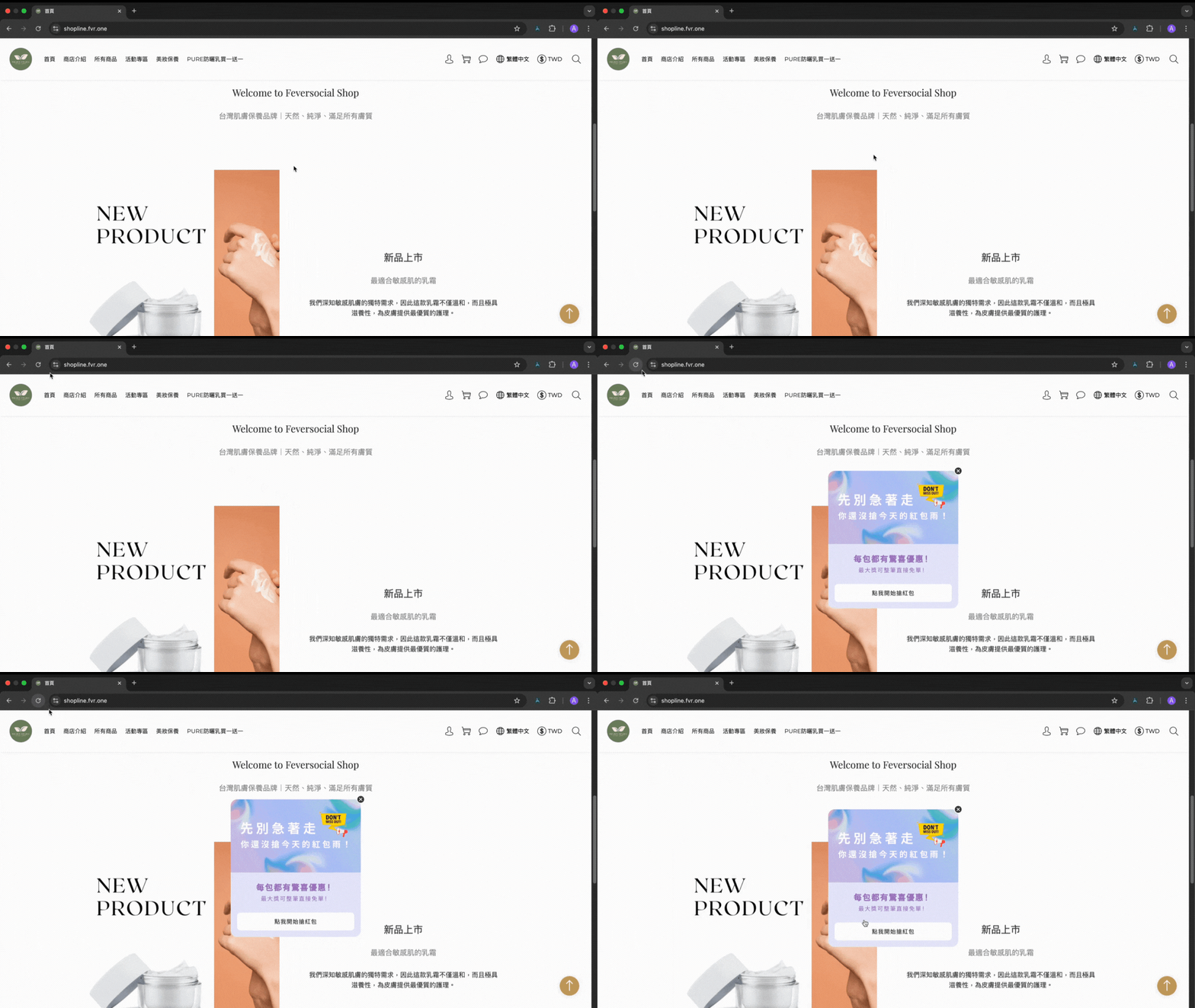
➍ Real-time exit-intent triggers for your last chance to convert
The system detects exit intent and instantly surfaces a campaign or offer to intercept visitors before they leave. Pair it with a time-limited or limited-quantity discount, or an exclusive reward, to give them one more reason to stay—and capture that last chance to convert.
Try moving your mouse toward the top of the page.
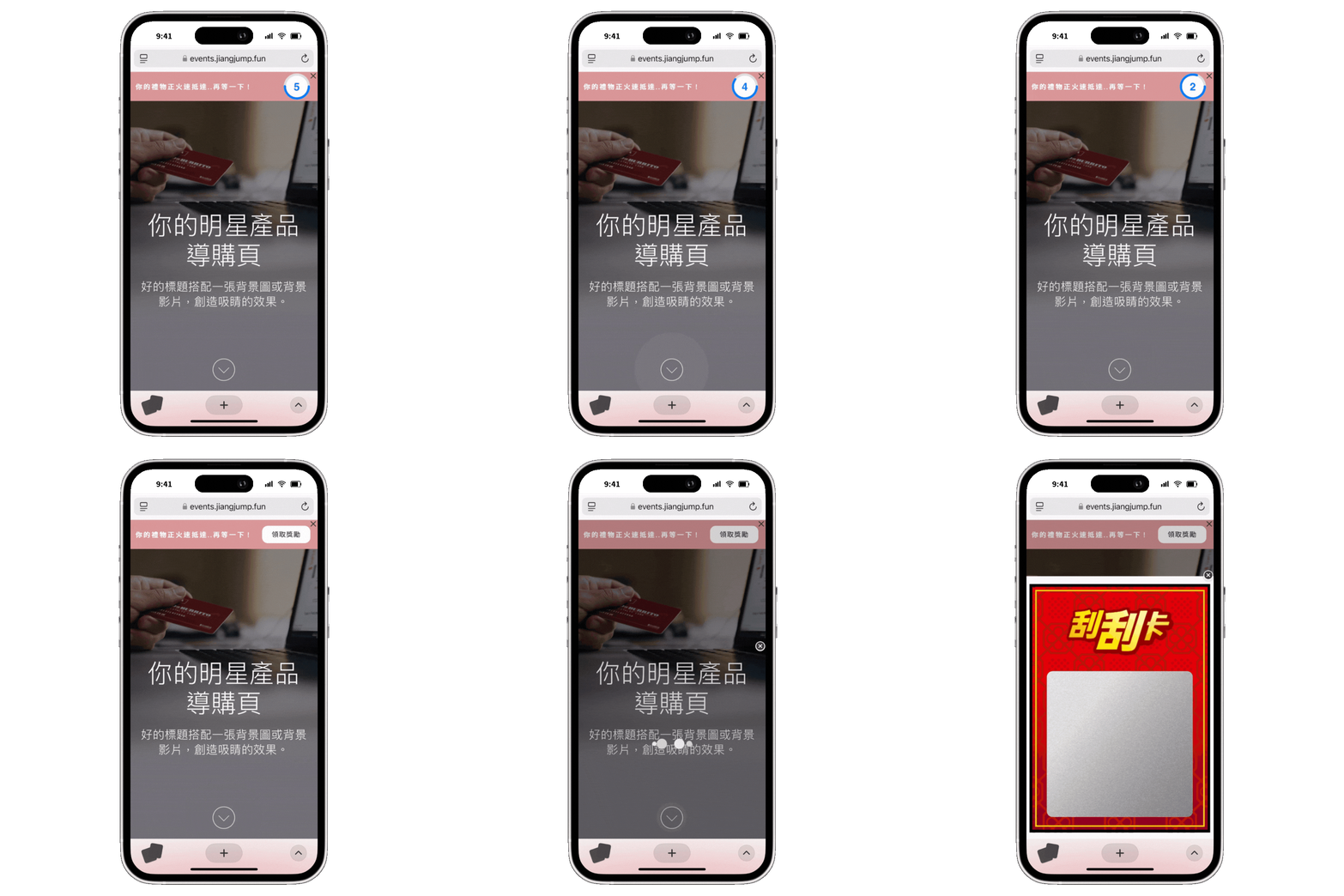
➎ Countdown timers to extend visitor engagement
The Web Pop-up Plugin also supports countdown timers, requiring visitors to view a message for a set number of seconds before they can click, join a campaign, or claim a reward—keeping them engaged long enough to absorb your brand message.
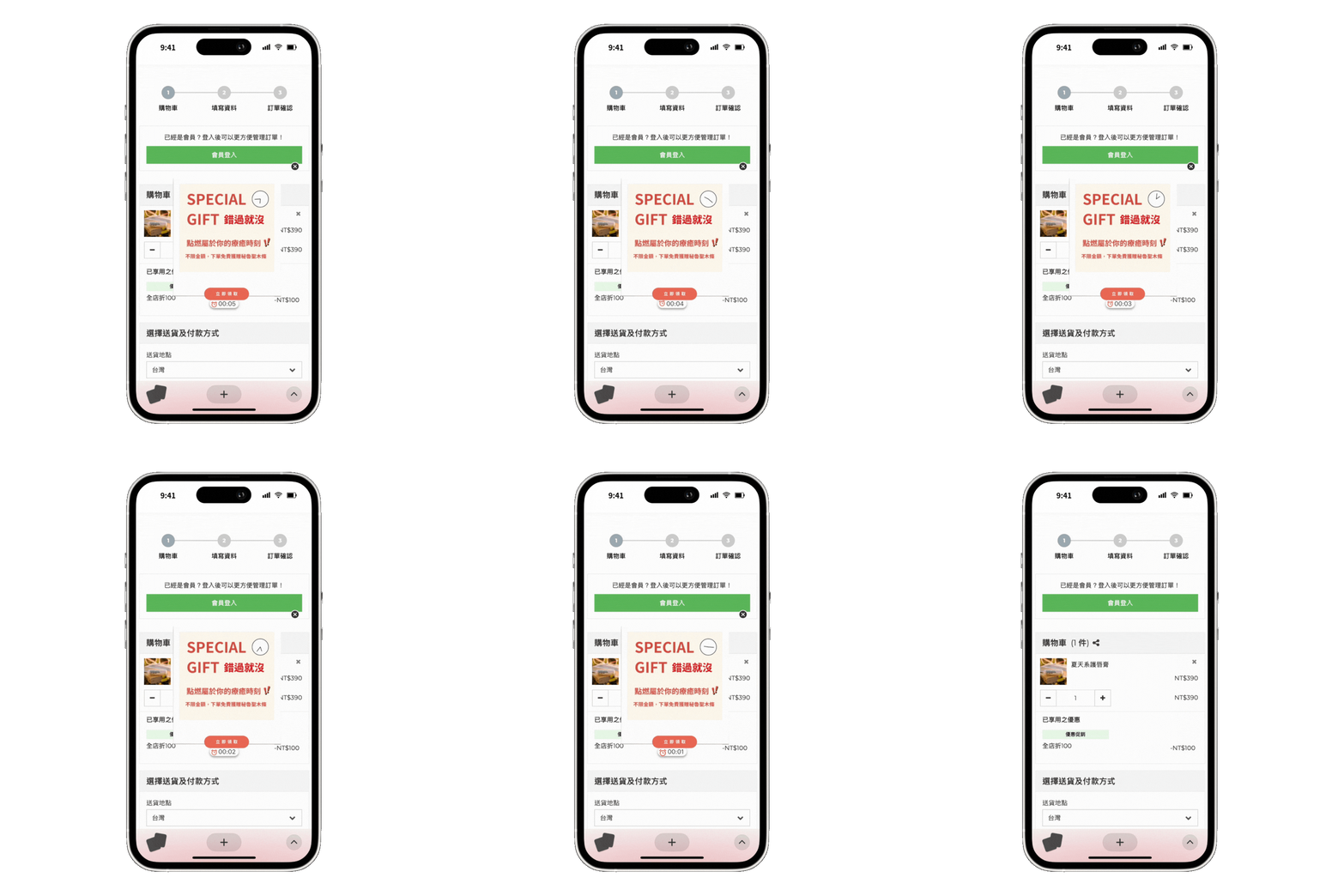
➏ Time-limited challenges create urgency and cut hesitation
Our pop-ups also support Time-Limited Challenges: once the countdown starts, visitors must click within the set window, or the message disappears automatically. Time pressure and FOMO drive immediate action, shortening hesitation and lifting your overall conversion rate.
Place a time-limited discount or reward on your checkout page to encourage faster checkout
➐ Auto-populate campaign stats to build buzz
Our pop-ups can also auto-populate live campaign stats, including days remaining and number of participants, tapping into FOMO and social proof to drive participation.

Three ways brands use Pop-Ups
Faster Conversion x Guided Engagement x Deeper Tagging
Faster conversion: Gamified engagement that targets visitors and boosts purchase intent
※ Cyberbiz and Shopline support automatic coupon-to-account syncing, shortening the gap between issuing and claiming coupons to speed up conversion.
While browsing an e-commerce site, visitors see a Pop-Up Window after 5 seconds, inviting them to try their luck with a Scratch Card

Clicking takes them to the campaign page to play the Scratch Card game

After completing the Scratch Card campaign, visitors claim a time-limited coupon—brands can set an expiration window to speed up conversion

Guided engagement: Personalized recommendations that speed up decisions
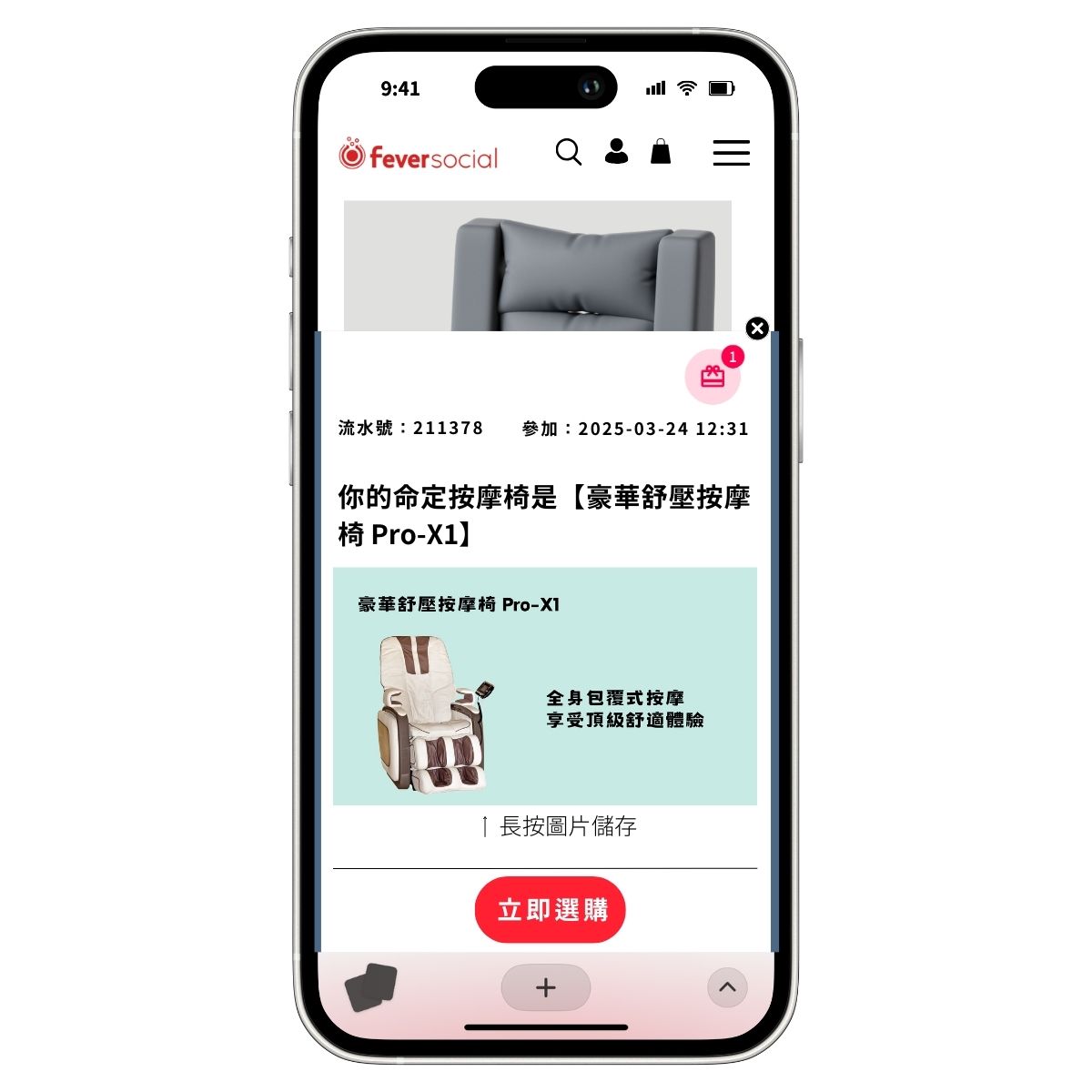
A visitor searching for massage chairs lands on the product page, and a sales-consultant-style Floating Button appears in the bottom-left corner

Clicking opens a Personality Quiz that helps visitors learn about product features and get a personalized recommendation

After finishing the quiz, visitors see their ideal product match and receive a coupon—an incentive that drives sales conversion
Deeper tagging: Collect anonymous visitor data for precise LINE remarketing
A visitor to a pet-supply site sees a Banner at the bottom, reminding them that completing a survey earns a Voucher
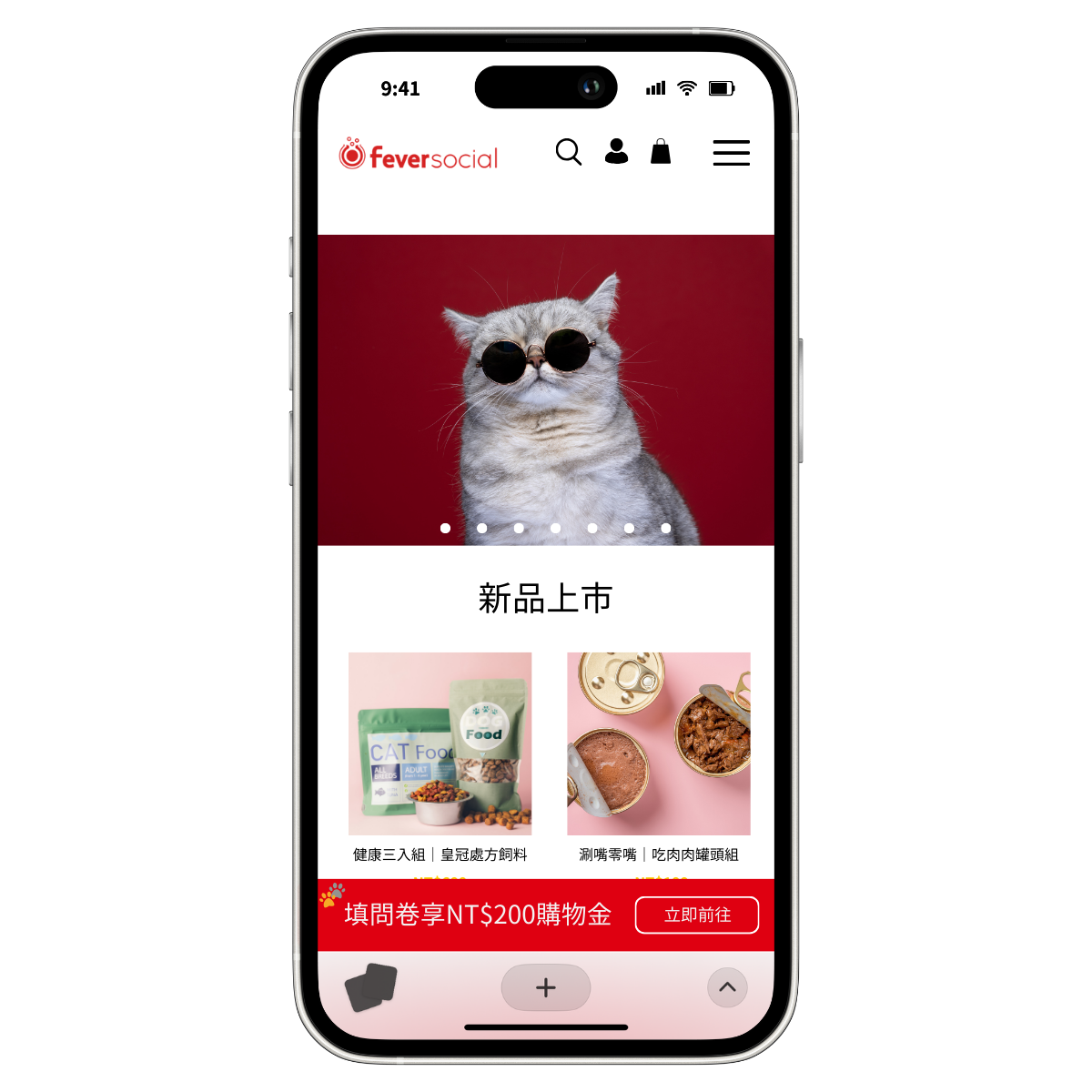
Clicking opens a LINE login screen; after authorizing and adding the account as a friend, the visitor starts the survey

After submitting, the visitor claims the Voucher while the brand collects survey data that flows into your chatbot and CDP, building a fuller customer profile

More features and setup guides
Ready to turn your website into a conversion machine with Pop-Ups?
