Video Contest
![Video Contest]()

Online submissions, entry review, voting, and prize distribution — handled start to finish.
Supports social login, member login integration, or no login at all, so you don't need custom development or a big marketing budget. Entrants can submit via YouTube URL, including today's most popular Shorts.
What are the benefits of running a Video Contest?
Andy Warhol once said everyone would be world-famous for 15 minutes. That future is now: with smartphones everywhere and social media reshaping how people share, everyone is filming short videos of their daily lives.
Now that uploading video is just part of daily life, the barrier to entry is lower than ever. Set a clear contest theme and you'll draw in anyone who's interested or feels connected to it — and to win, entrants will rally friends and family on social media to vote for them.
For example, a brand celebrating its anniversary could produce a theme song and invite fans to a cover challenge. Entrants eager to win the grand prize naturally share and reshare their entries, spreading the campaign organically, building an emotional connection with customers, and sometimes even turning the song into a viral earworm.
Or, as ecommerce becomes a primary shopping channel, invite customers to upload unboxing videos of your hero product. Guided by the person unboxing it, viewers feel far more immersed than with a static photo and caption — the detailed walkthrough and feature demo make the product's strengths stand out, boost persuasiveness, and drive positive word-of-mouth marketing.

We support a range of voting modules. Planning a different kind of submission-based contest, or just want more ideas?See how to pick the right module for you ☞☞☞
Key features
1. One page, start to finish — submissions, voting, and prizes
Entry submission and review, a browsable gallery, voting, an online prize draw, analytics, and page building — all in one module. Pair it with forms to handle pre-contest registration and post-contest prize claims too.
2. Multiple login options and entry eligibility settings for richer gameplay
Supports Facebook, LINE, or member login, so you can run contests that feel tailored to your audience — a members-only travel vlog contest, or a LINE-friends-only theme-song singing contest, for example.
Beyond flexible login options, you can also set how many times each person can enter or vote, driving daily return visits and keeping the contest active.
Entrants and voters can use different login methods, letting your brand reach a wider audience — for example, limit entries to a dance-cover video to members, then have entrants share to Facebook to invite friends to vote.
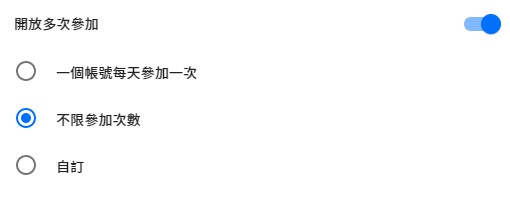
Entries can be opened for multiple submissions
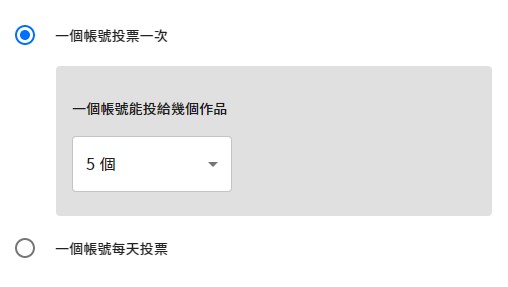
Set voting to once per campaign or once per day, and set how many entries each account can vote for
3. Choose which fields entrants fill in
Entries can collect three fields — entrant name, video title, and video description — and you decide which ones to turn on based on your campaign.
For example, if your contest is a team competition but entrants sign in individually, turn on the entrant name field to collect the team name, avoiding mix-ups with individual entries.
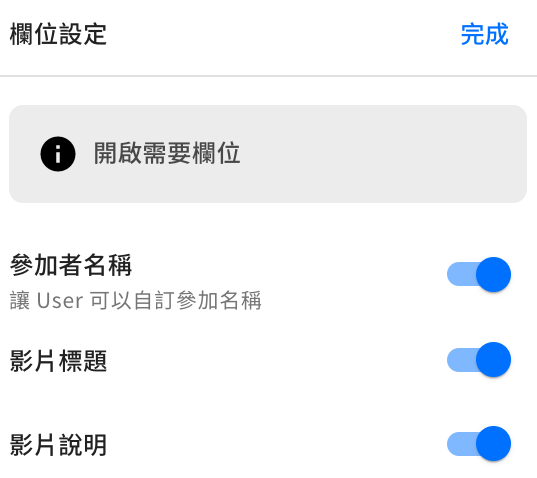

4. A dedicated page for every entry makes canvassing votes effortless
Every entry gets its own page, clearly showing the entrant's identity, video title, and description (based on your field settings), so entrants can share it to their own social feeds right after submitting.
The entry page plays the video directly, with no need to switch pages — pair an engaging theme with a smooth entry flow and participation naturally goes up.
5. Add a voter reward — keep the Contest buzzing
You can offer a prize draw for everyone who votes, or turn on the form feature to collect voter contact details. After voting, voters are automatically routed to the prize-draw entry form.
6. Turn on entry review to protect submission quality
With review turned on, only approved entries appear in the gallery and become eligible for voting — raising submission quality and keeping out bad-faith interference.
7. Three layers of anti-fraud protection for peace of mind on every vote
Step 1. Voters must log in before they can vote → social login raises the bar for who can vote
Step 2. Votes only count after passing bot verification → powered by Cloudflare Turnstile
Step 3. A vote-audit dashboard → see exactly how every account voted, at a glance
What is Cloudflare Turnstile?
Turnstile is Cloudflare's next-generation bot-protection tool. It effectively blocks automated scripts and bot abuse, with a smoother, more user-friendly verification flow than traditional CAPTCHAs.
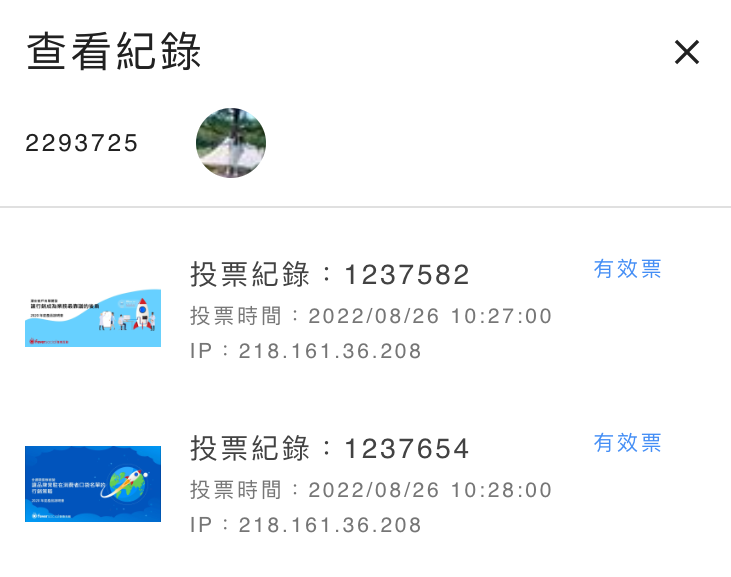
8. Vote management
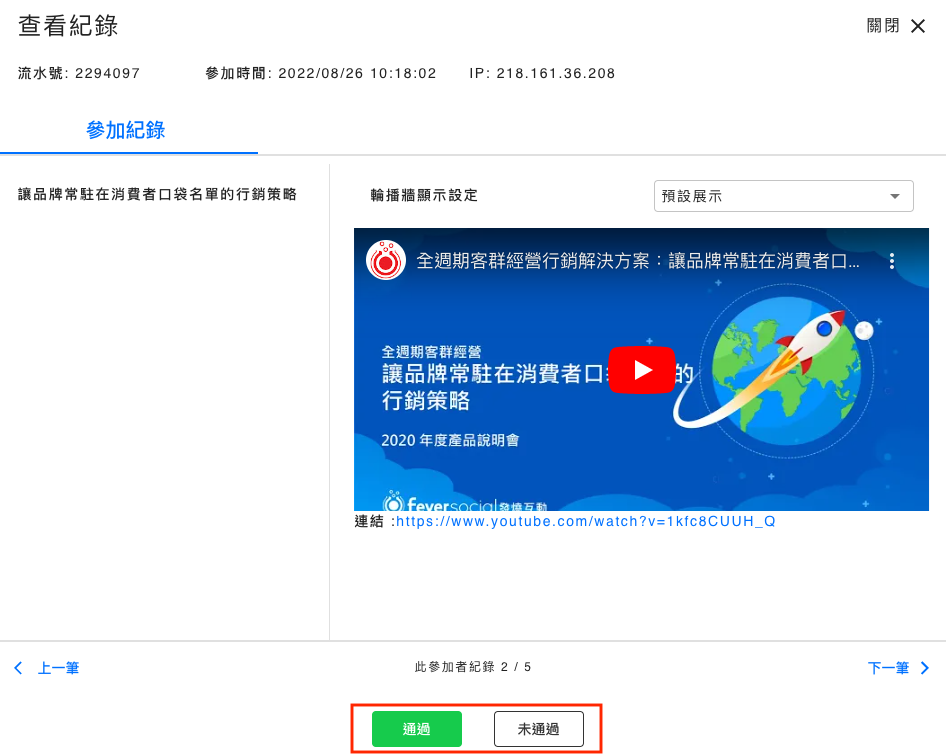
The "Contest Result" panel in the dashboard gives you an overview of every entry's vote count. For any entry, drill into a daily vote chart, see every voter's account and IP, and cancel questionable votes directly.

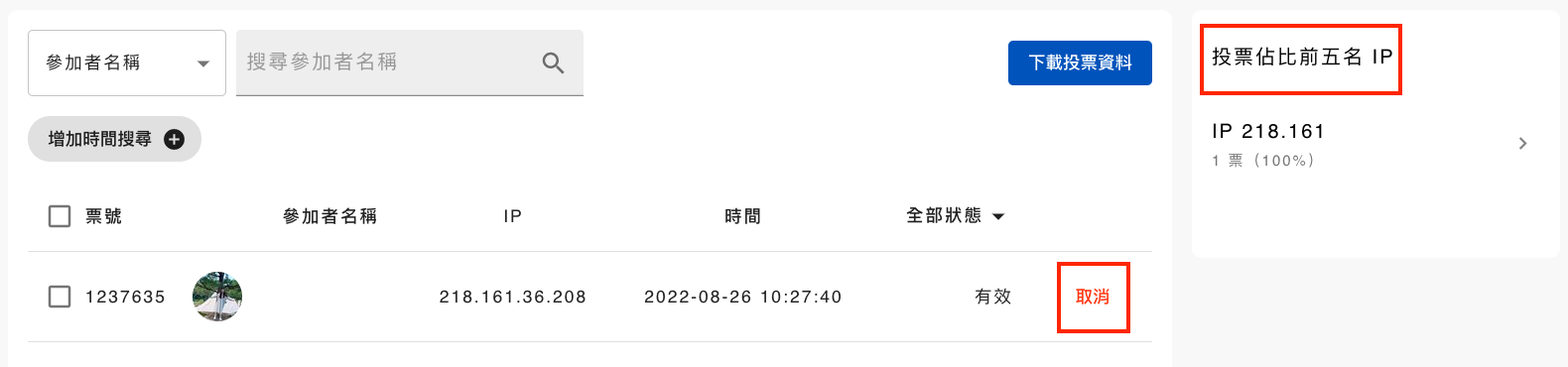
Cancel any votes you find questionable, and check the "Top 5 IPs by vote share" view to spot unusual voting patterns
Set a default sort order for the gallery — random, ranked, or by entry time. On the front end, visitors can search by two fields: entrant name or entry title.
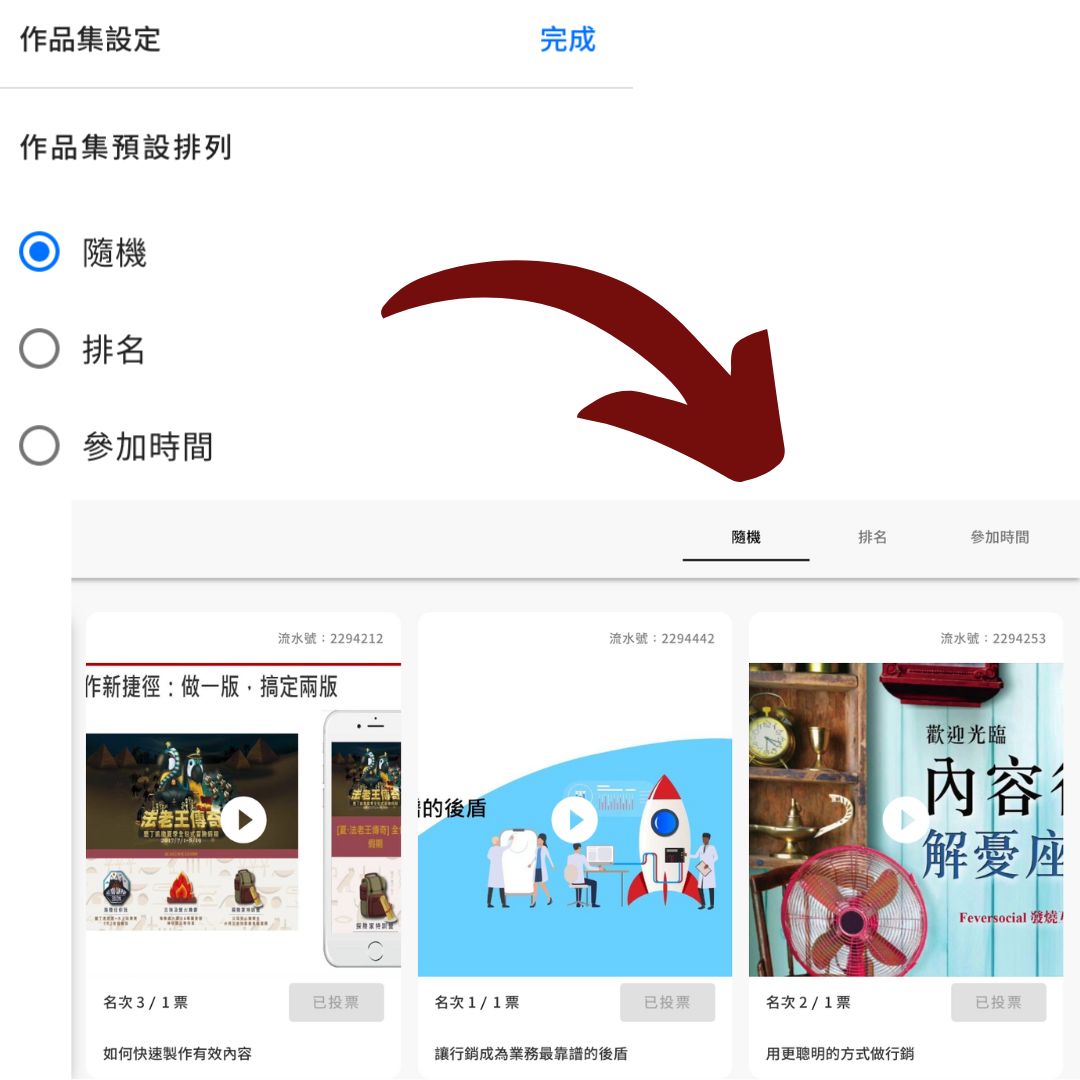
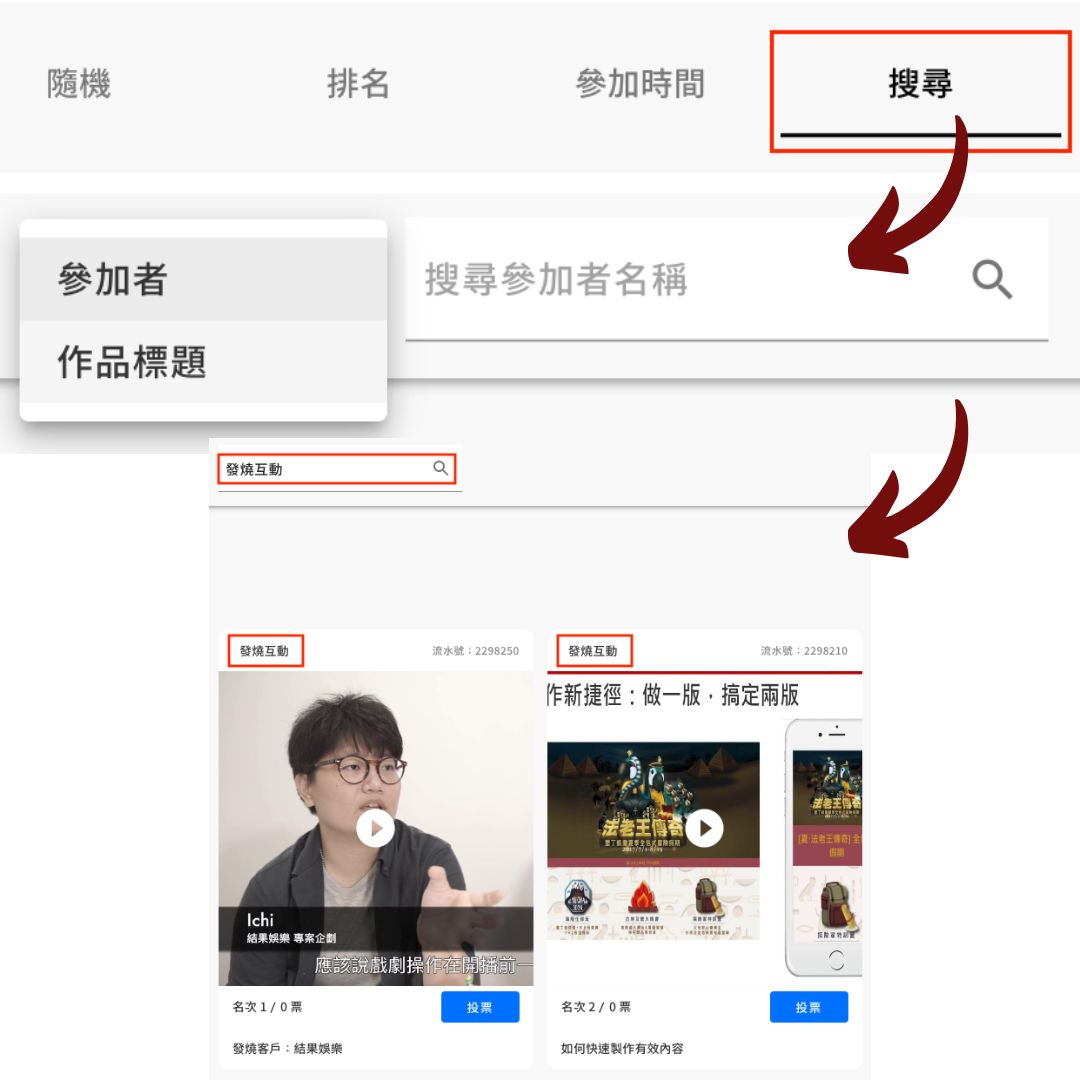
Set the default gallery sort order from the dashboard and preview the front-end display; visitors can search by entrant name or entry title
Live demo
A pet-video contest: entrants get a shopping-site discount code just for submitting, then everyone who entered is eligible for a prize draw once the contest ends.
Entry gallery
By default, the gallery rotates through the newest uploads, but you can also pin standout videos to the front. Click any entry to go to its page and vote.
Video Contest case studies
