Contest
![Contest]()

Sponsors can collect entries through any channel, then upload the photos or videos themselves to launch a Contest in minutes. Manage every submission without engineering help or a big marketing budget—your whole voting site comes together fast. Let voters sign in with Facebook or LINE, enable daily voting, and cap how many entries each account can vote for.
What’s the benefit of running a Contest?
A contest is one of the most effective ways to spread the word. Pick the right theme and you can find new potential customers or deepen the bond between members and your brand. A sharply focused theme draws in people who care about it, and to win, entrants will rally friends and family to vote for them.
We support several Contest modules. Looking to run a submission-based contest, or just want more ideas? Find the module that fits your event ☞☞☞
Features
1. Support for multi-stage Contests
2. Flexible login and eligibility options for richer gameplay
Choose Facebook, LINE, or Member login to run a Contest that feels exclusive—like a members-only product-naming vote.
Beyond login options, set how many times each account can vote, or allow voting once a day, giving people a reason to come back and keeping the Contest active.
Once entries reach the final voting round, social sharing takes over. Everyone wants to win, so entrants promote their submission and ask for votes across every channel they have. That’s the best moment to reach new audiences and start a conversation with people your brand hasn’t met yet—for example, when voters log in with Facebook to vote, you capture their record in your dashboard.
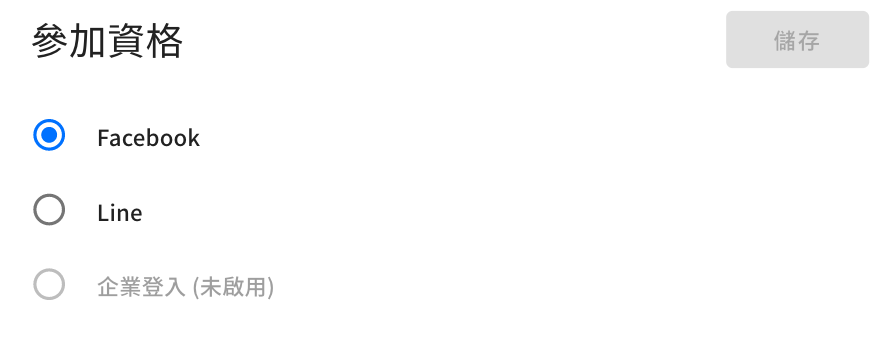
Entry supports Facebook, LINE, and website member login
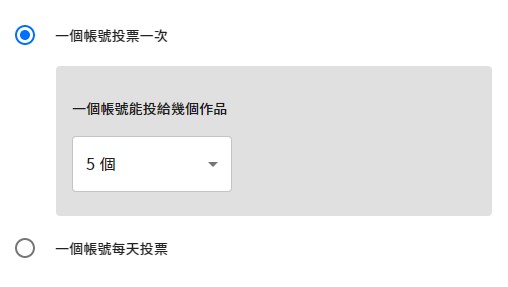
Choose "vote once" or "vote daily," and set how many entries each account can vote for.
3. Entry details—give voters the full story
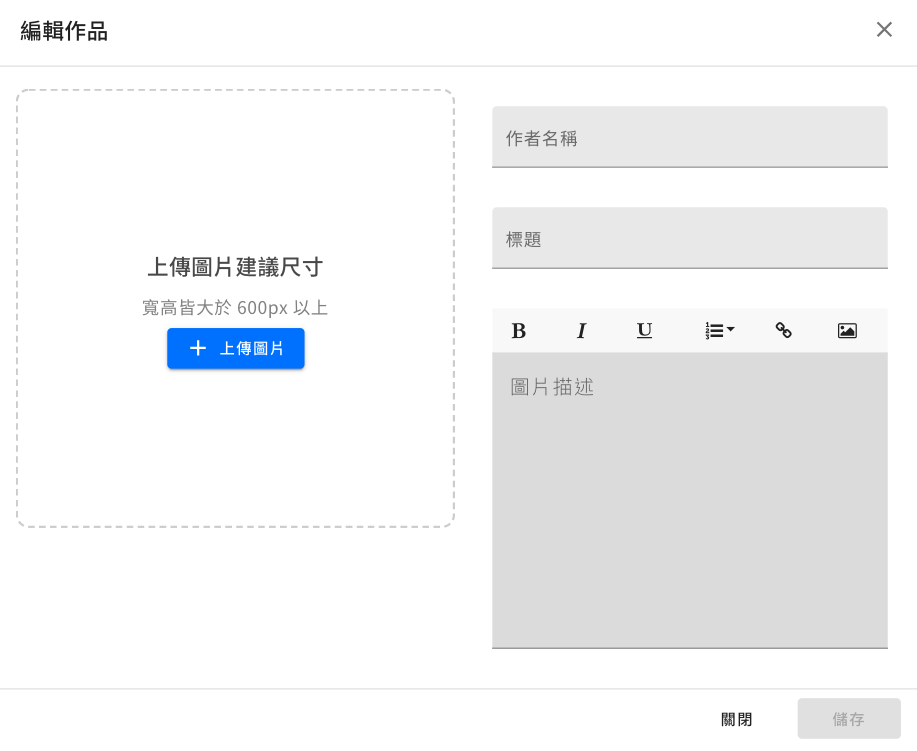
Each entry includes three fields: entrant name, title, and description.
These details add depth to every entry, helping voters connect with its story before they cast their vote.
4. Reward voters to keep the Contest buzzing
You can offer a prize drawing to everyone who votes, or turn on the form feature to collect voter details—after voting, they’re automatically sent to the entry form.
You can also set up an instant-win game that reveals the result right after voting, adding an extra layer of fun. Each account gets one prize draw for the whole Contest, which helps prevent vote stuffing.
5. Three steps to stop vote fraud
Step 1. Voters must log in before they can vote → social login raises the bar for entry.
Step 2. Every vote must pass a bot check before it counts → blocks automated voting.
Step 3. The dashboard’s Contest Result page → shows every account’s voting activity at a glance.
6. Vote management
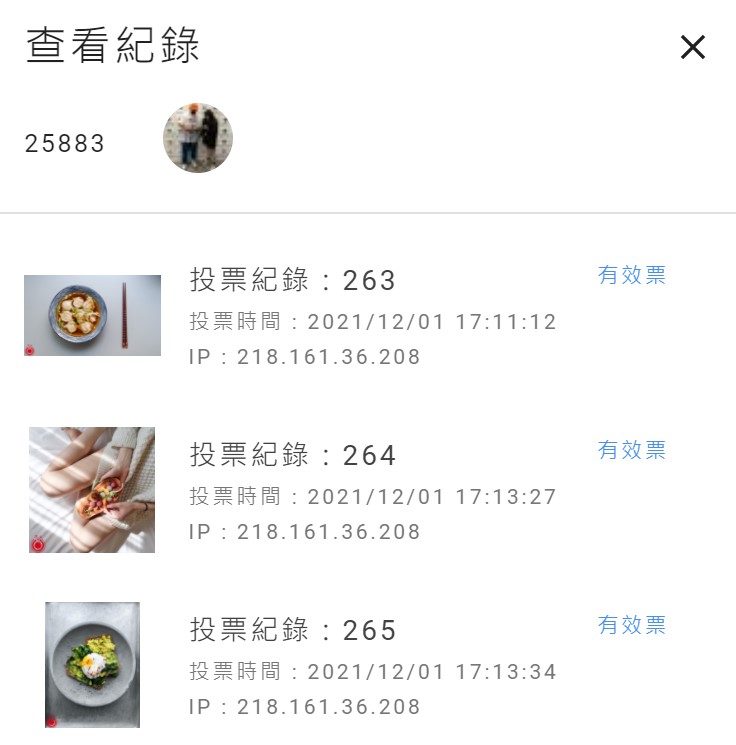
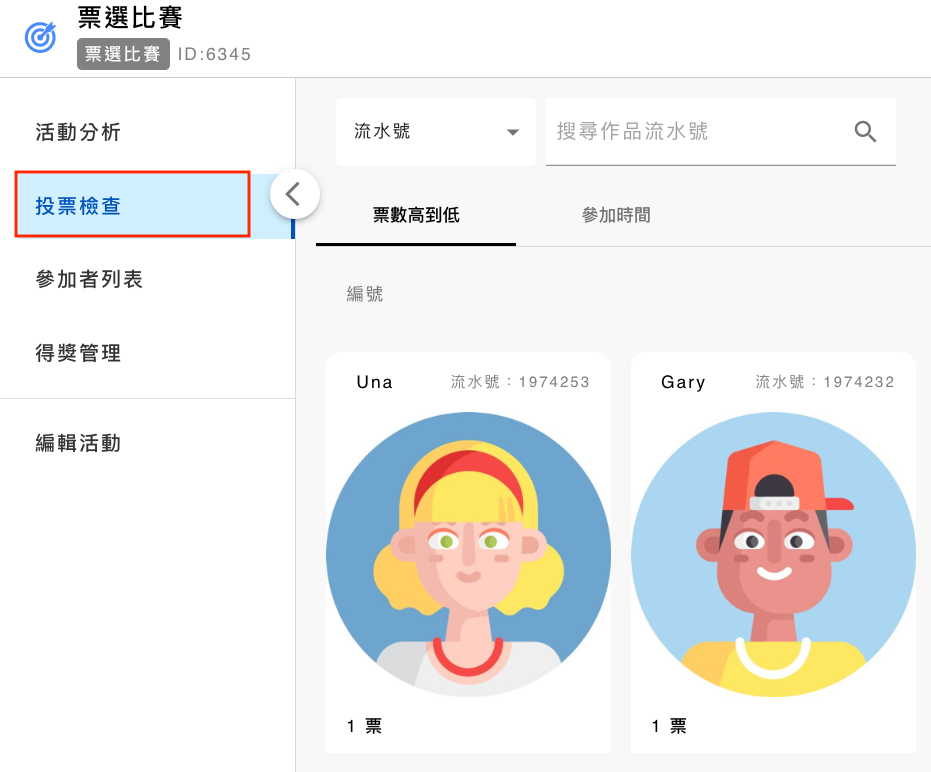
The dashboard’s "Contest Result" page shows every entry’s vote count at a glance. Drill into daily voting charts for each entry, review every voter’s account and IP address, and cancel any votes you don’t trust.
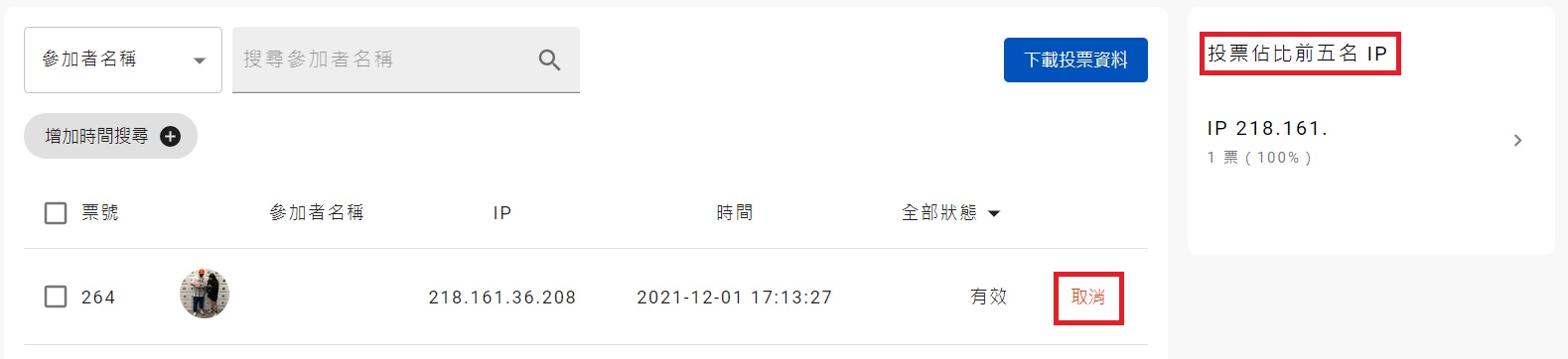
Cancel any votes you find suspicious, or check the "Top 5 IPs by Vote Share" list to spot unusual activity.
Set how the entry gallery displays by default, with three sort options: random, ranking, or entry date. Visitors can search the public gallery by entrant name or entry title.

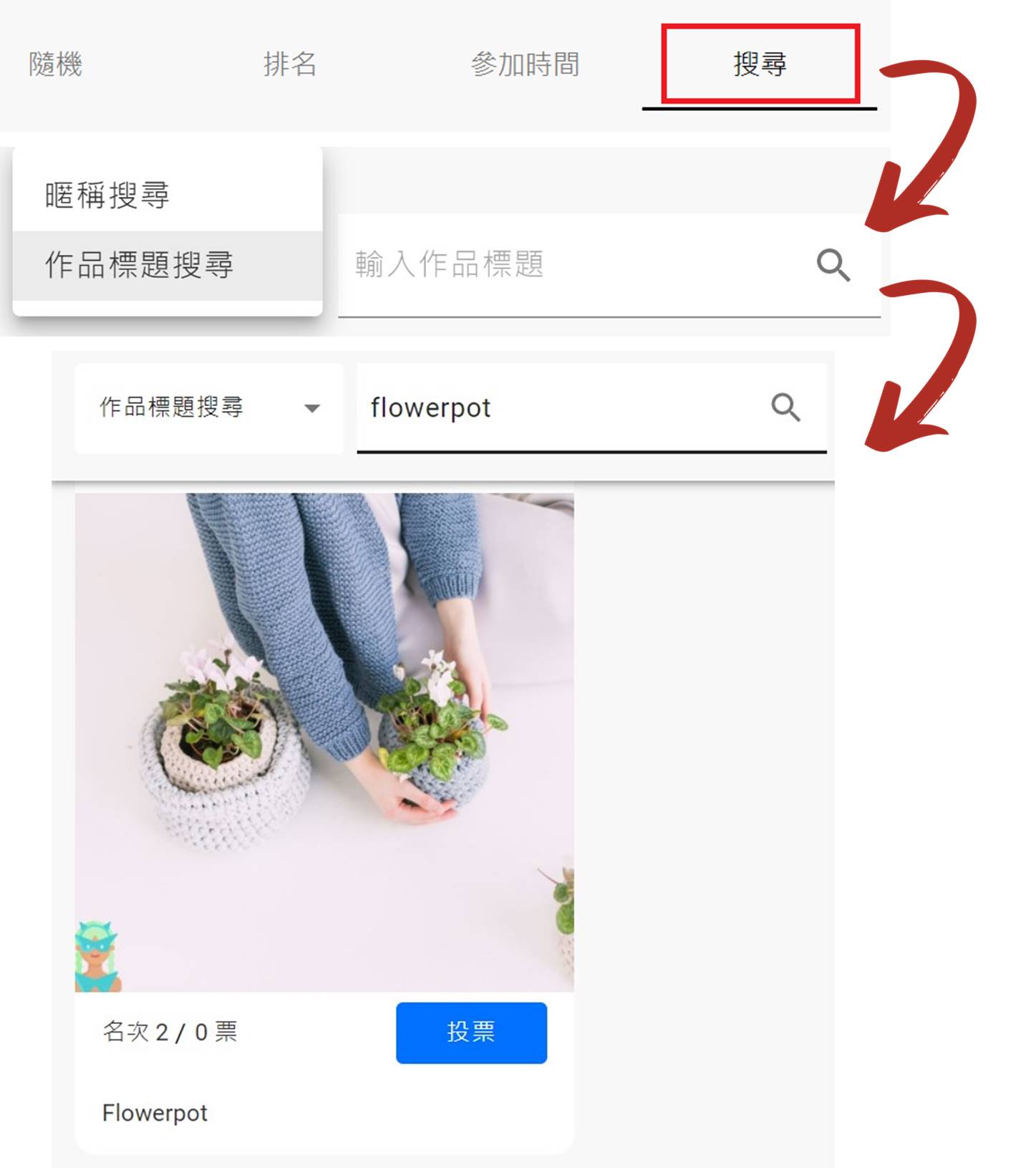
Set the default sort order and layout from the dashboard, and let visitors search the public gallery by entrant name or entry title.
Contest case studies
