Photo Contest
![Photo Contest]()

Worried about vote manipulation, slow manual review, or building a site from scratch? Three built-in safeguards plus a single dashboard handle entries, review, voting, and prize draws end to end.
Support Social login, member login, or no login at all — no custom development or big budget required. Launch your UGC (User-Generated Content) viral marketing campaign today.
What are the benefits of running a Photo Contest?
Contests are one of the highest-reach marketing formats around. Pick the right theme and you can use a contest to find new prospects and deepen the bond between existing members and your brand. A sharply focused theme draws in people who already care about it, and to win, they'll rally friends and family to vote for them. These everyday KOCs are more persuasive than an obvious ad or sponsored post, and they quietly embed your brand in real social conversations.
Take the "Junior Spokesperson" contests baby and parenting brands love to run: the competition itself gets parents thinking "my kid has to win," which drives them to share and reshare — a natural amplification effect that also builds an emotional bond between the brand and its customers.
Or take a camping brand inviting people to enter a fun camping-photo contest, with premium gear as the prize — it's a precise way to draw in exactly the camping enthusiasts who make up the target audience.

We support several contest and voting modules. Want to run a contest where the organizer uploads the entries, or need more inspiration?See How to Pick the Right Module
Features
1. End-to-end flow — from entries to voting to prizes, all on one page
Entry submission and review, a gallery of entries, voting, online prize draws, analytics, and page building all come built in — pair it with a form for pre-contest registration or post-contest prize claims.
2. Flexible login and entry-eligibility settings for richer gameplay
Support multiple login methods, such as Facebook, LINE, or member login, so you can run contests that feel exclusive — think a members-only recipe contest or a photo contest limited to LINE friends.
On top of flexible login methods, you can also set limits on how many times someone can submit an entry or vote, which brings people back day after day and keeps the contest buzzing.
Voters and entrants can each have their own login method, giving your brand a way to reach a wider audience — for example, restrict entries to members for an outfit contest, then let entrants share to Facebook to invite friends to vote.
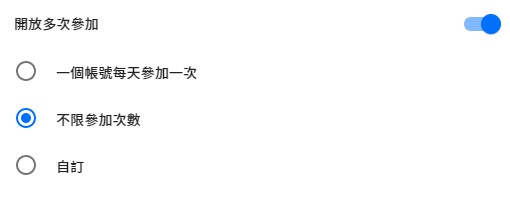
Entries can be open to multiple submissions
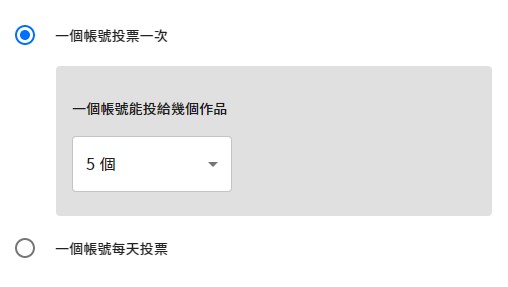
Voting can be limited to once for the whole contest, or opened up once per day, and you can set how many entries a single account can vote for
3. Choose which fields entrants fill in
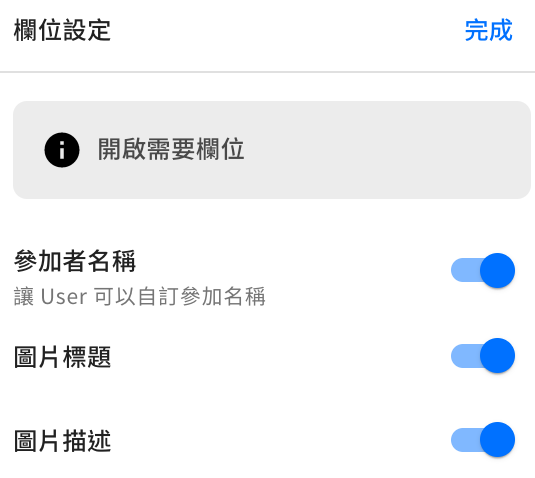
The upload form offers three fields — entrant name, photo title, and photo description — and you decide which ones to turn on based on your contest.
For example, if a contest is meant for teams but entries use social login, turning on the entrant-name field lets people enter their team name — so no one accidentally enters under their personal name.
4. Add a voter prize — keep the Contest buzzing
You can offer a prize drawing to everyone who votes, and turn on the form feature to collect voters' details. After voting, each voter is automatically taken to the prize-drawing form.
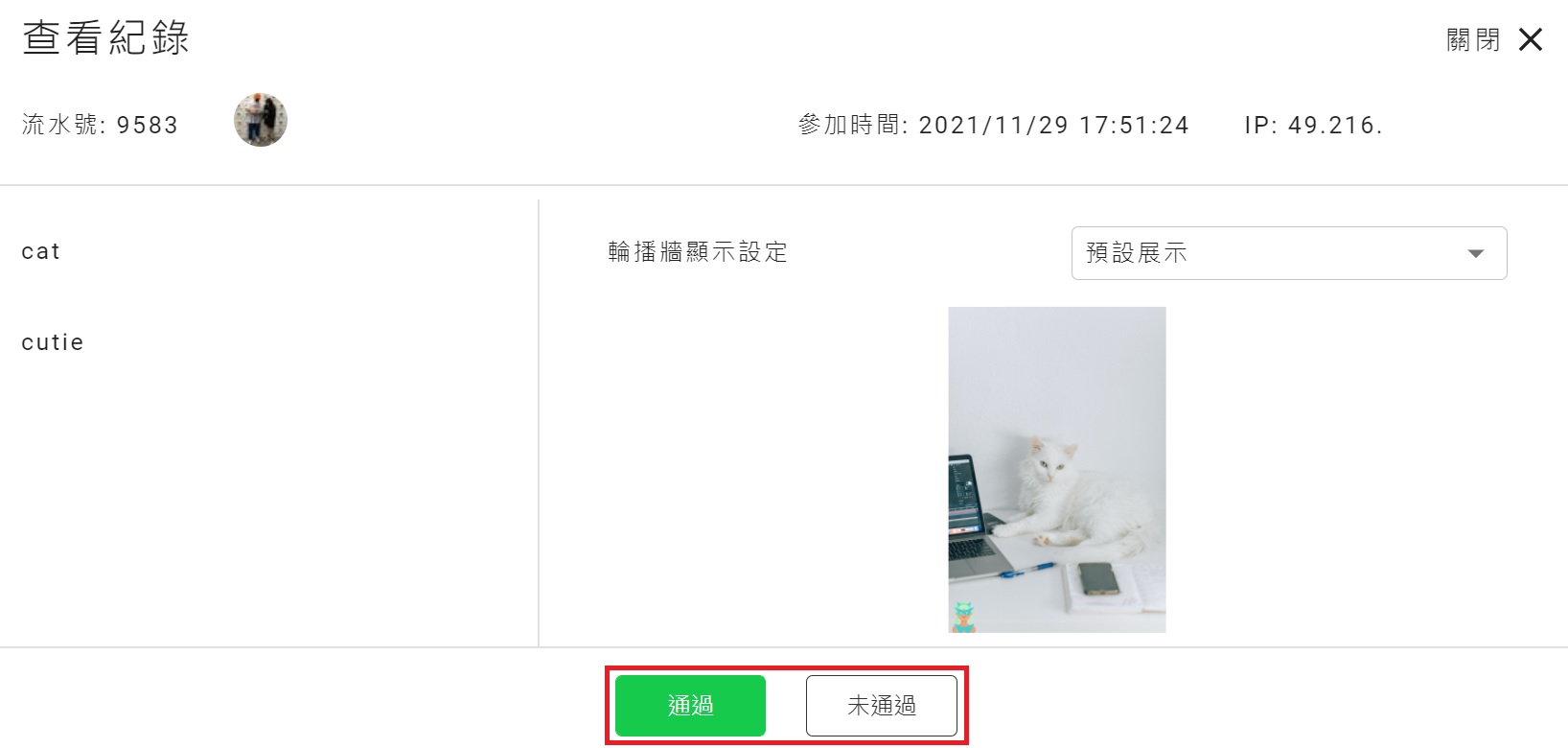
5. Turn on review to keep entry quality high
With review turned on, only approved entries appear in the gallery and become eligible for voting — this keeps entry quality high and blocks bad-faith submissions.
6. Three steps to stop vote fraud, layer by layer
- Voters must log in before they can vote → verified social-platform identity raises the bar for voting
- Every vote must pass bot verification before it counts → powered by Cloudflare Turnstile
- Dashboard vote-check page → see exactly how every account has voted, at a glance
What is Cloudflare Turnstile?
It's Cloudflare's next-generation bot protection, built to block automated scripts and bot abuse — and it's smoother and more user-friendly than a traditional CAPTCHA.
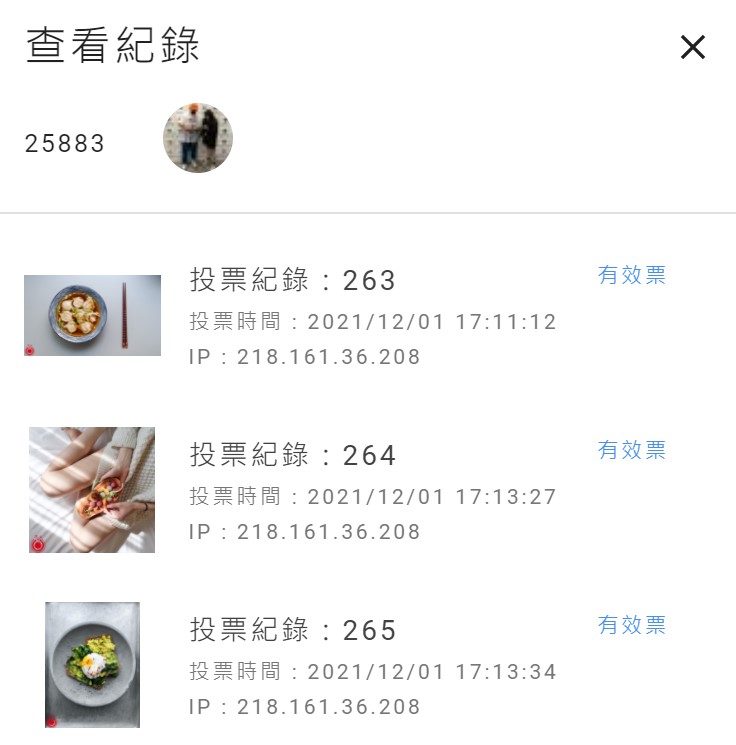
Dashboard view of votes by account
7. Vote management
In the dashboard's "Contest Result" page, you can see the vote count for every entry at a glance. Drill into any entry to see a daily voting chart plus every voter's account and IP address, and cancel any votes you have doubts about directly.
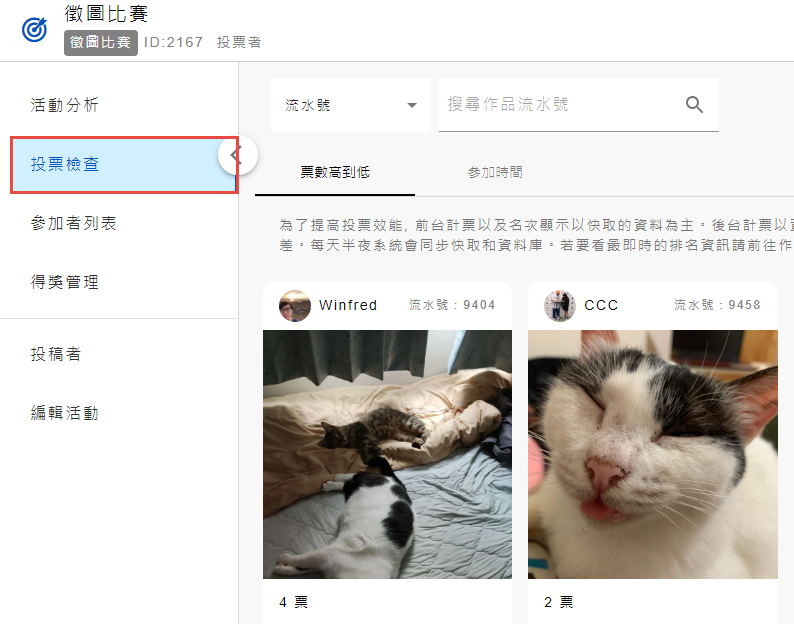
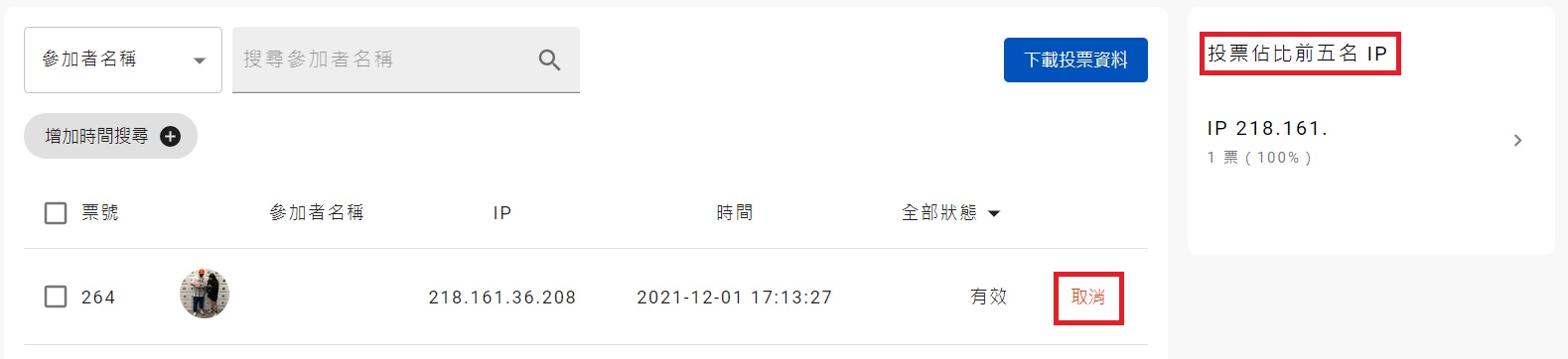
You can "cancel" any votes you have doubts about, and check the "Top 5 IPs by vote share" to spot unusual voting patterns
You can pre-set how the gallery is browsed, with three sort options: random, ranking, or entry time. The front-end search covers two lookup options: entrant name and entry title.
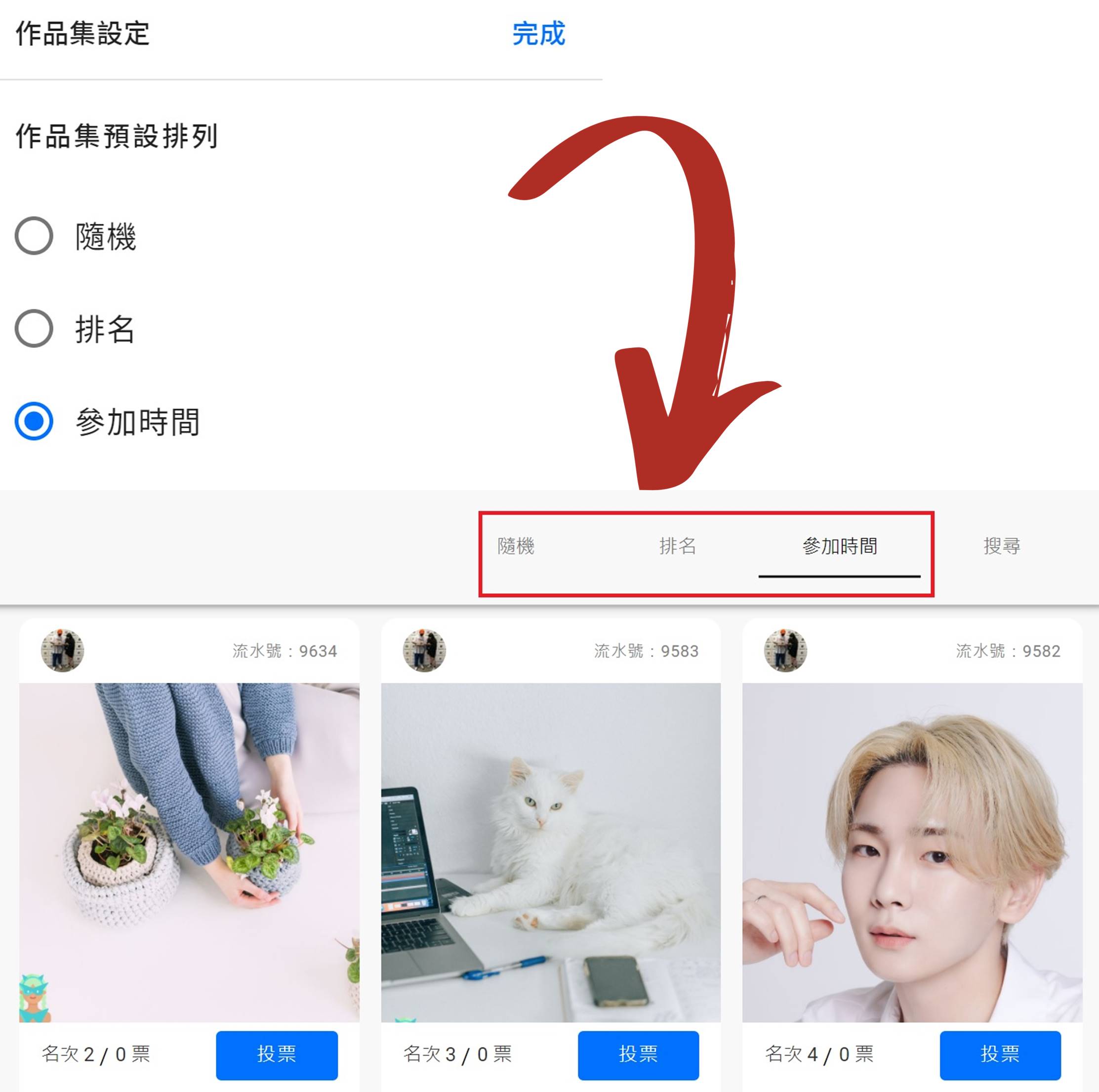
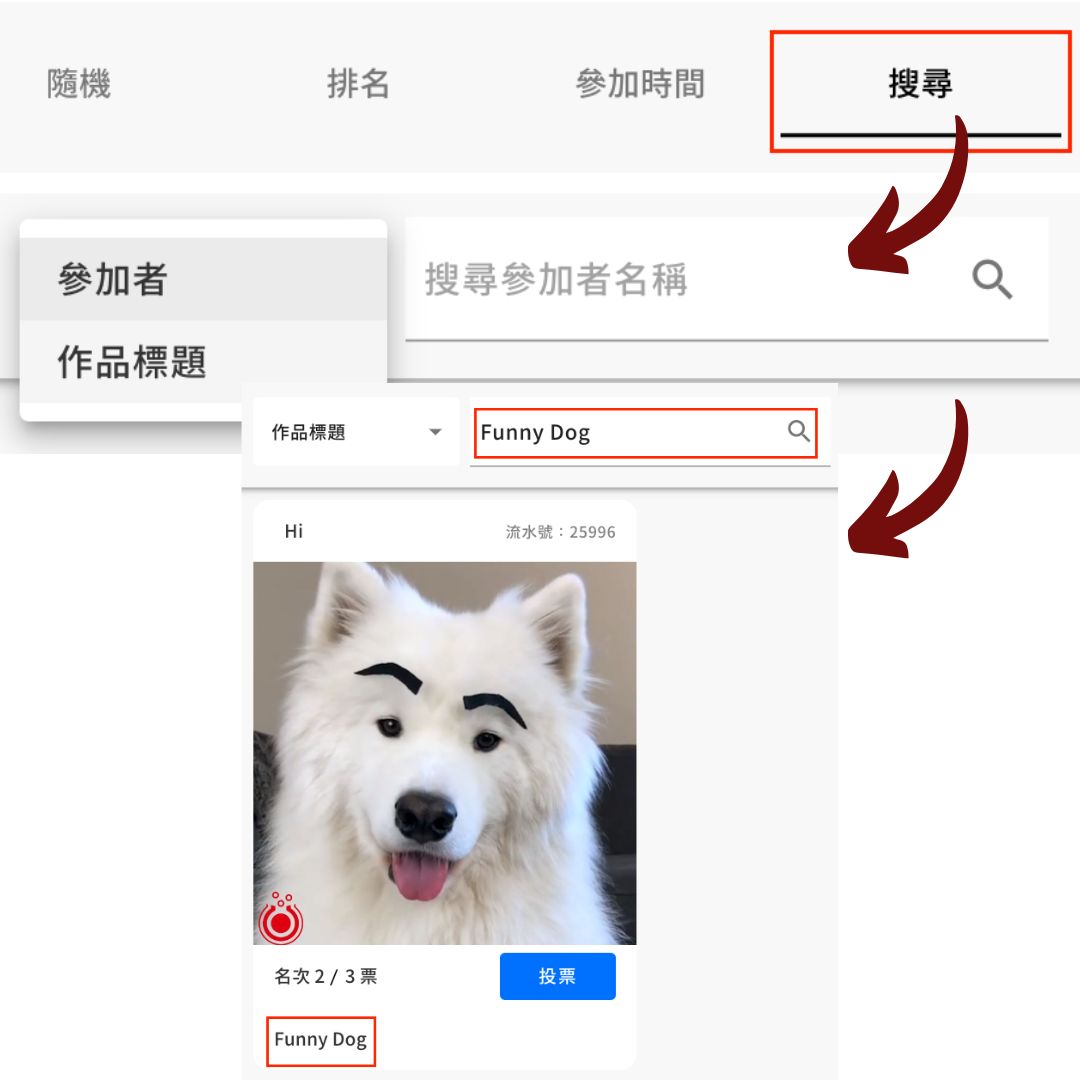
Set the gallery's default sort order in the dashboard and preview how it looks on the front end; the front-end search lets visitors look up entries by entrant name or entry title
Live demo
Entry gallery
By default, the gallery auto-rotates through the newest uploads — you can also pin standout photos to show first.
Photo Contest case studies
